Items

An item record that knows every one of its codesTen tabs — commercial, tax and logistics data in one place.

VAT rates, units, own and customer barcodes, suppliers with prices and lead times, substitutes, groups, descriptions in several languages and attachments. The item list finds a product by any of its codes.

GeneralUnits and codesOtherCustomersSubstitutesGroupsDescriptions and translationsAccountingAttributesAttachments

What you get

Taxes set on the record

Separate purchase and sales VAT rates, reverse charge, split payment, CN code with country of origin, customs and excise rates, JPK_GTU marking.

Every code in circulation

EAN-13, EAN-8, UPC-A and own codes — with check-digit validation. A code tied to a unit (e.g. a carton), foreign codes assigned by customers. An own code is unique across the whole database.

Units with conversions

A base unit and auxiliary units (carton, kilogram…) with conversion factor, weights and volume. A default unit for sales and for purchasing.

VAT rates abroad (OSS)

For sales to consumers in other EU countries, each country's rate is stored on the item record.

Suppliers and buyers of the item

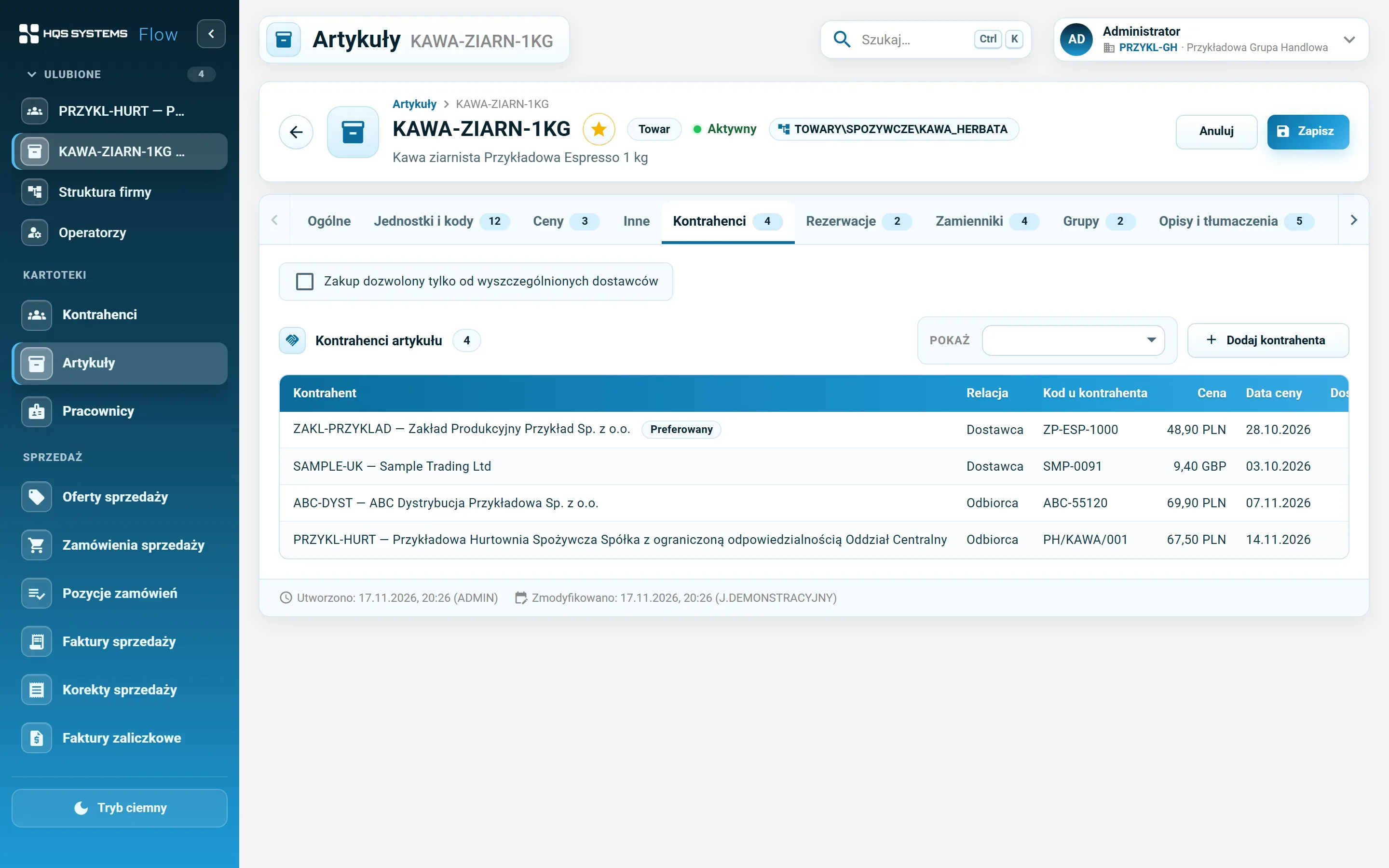
The item's code and name at the customer, price with date and currency, lead time, order quantity, preferred supplier. Optionally — purchasing only from listed suppliers.

Substitutes and related items

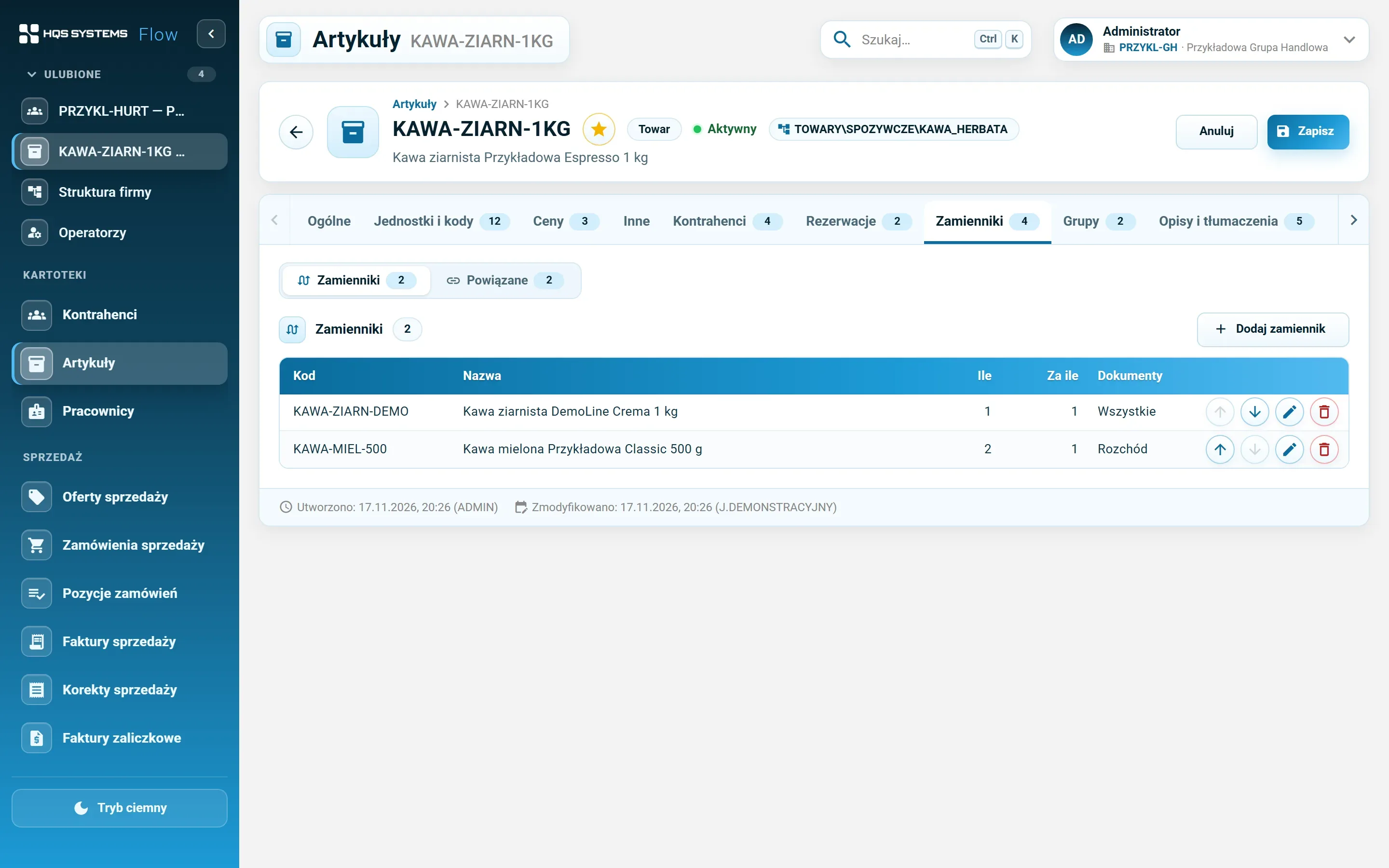
A substitute with a “how many for how many” ratio and a document scope (receipts, issues). Related items — what usually goes together.

Groups like a folder tree

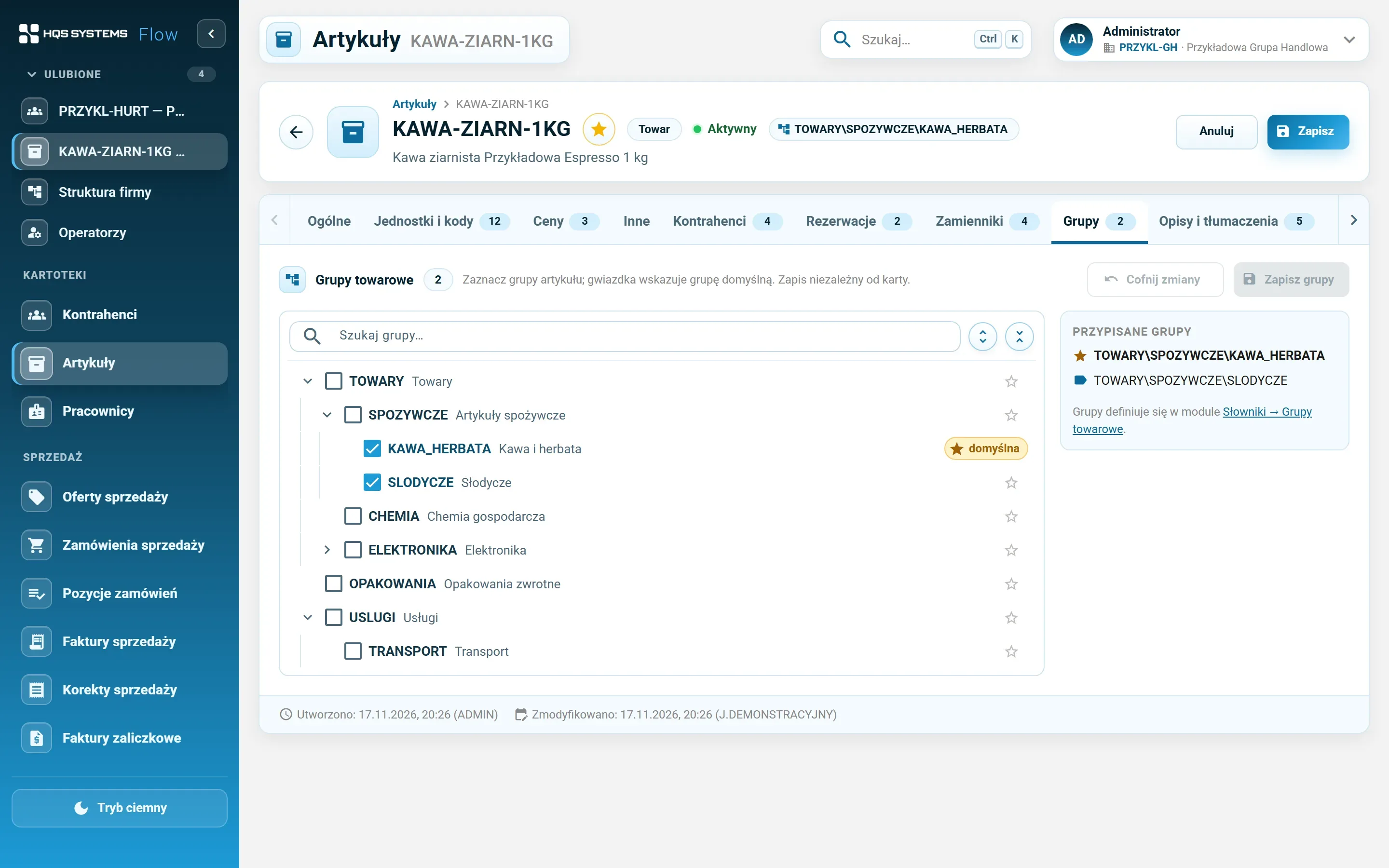
An item can belong to many groups, one of them default. The group tree sits next to the list — it narrows the list including subgroups, and groups are added and moved with a right click.

Descriptions in 16 languages

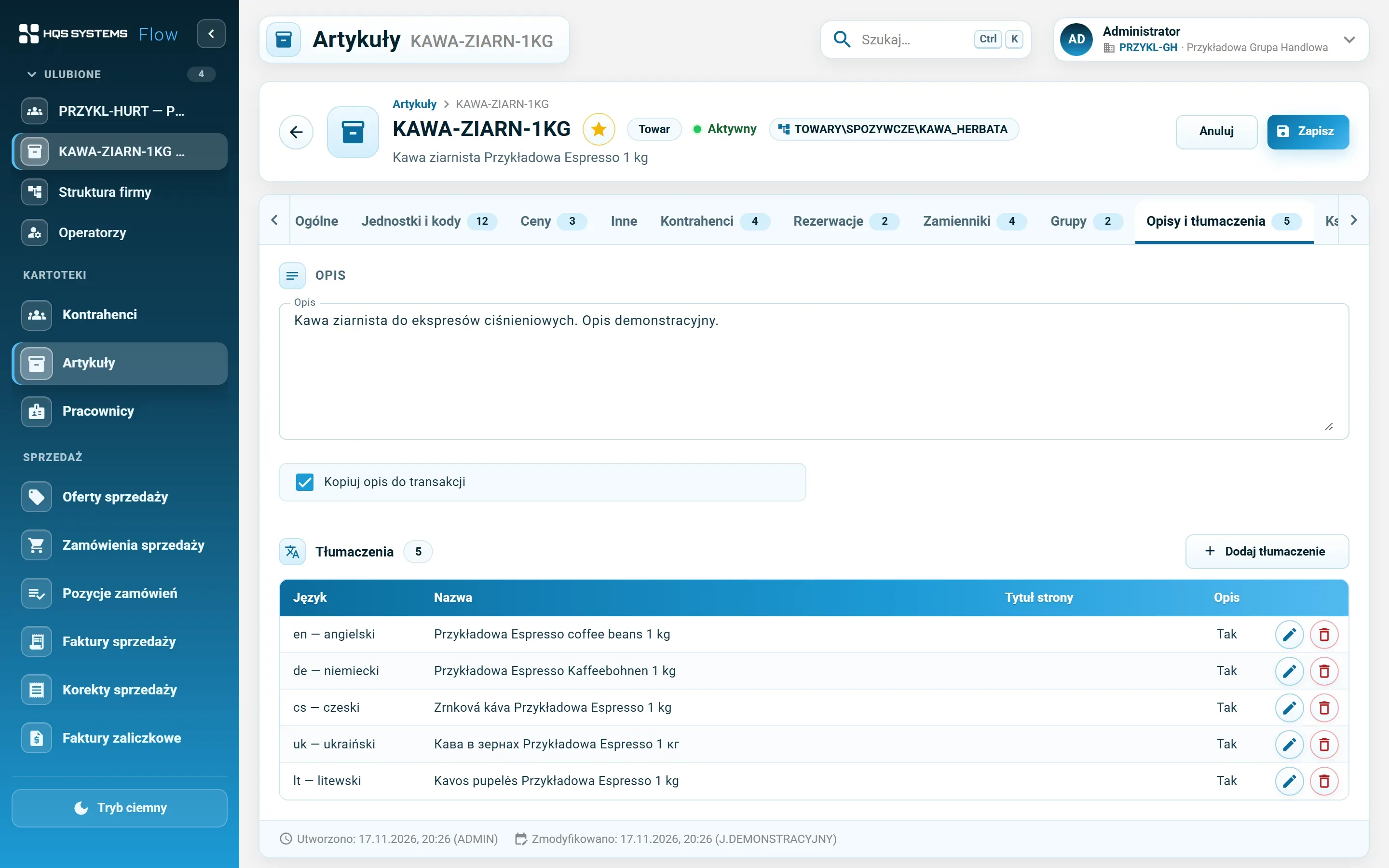
Name, description, product page address and title in languages including English, German, Czech, Ukrainian and Lithuanian. Each translation in its own row, without duplicating the record.

Screenshots from the working system

The item record in practice

The fictional item “Kawa ziarnista Przykładowa Espresso 1 kg” on demo data.
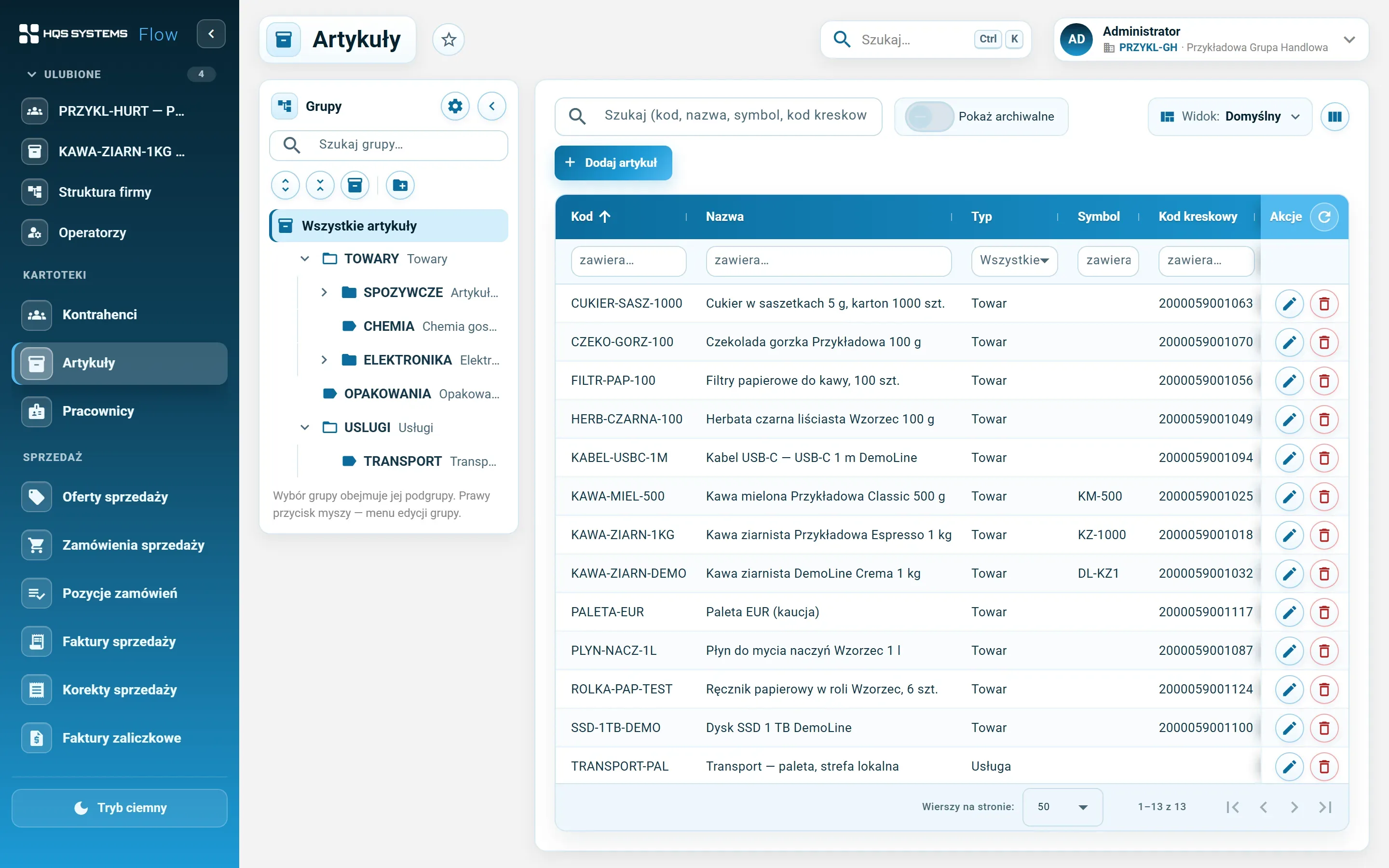
The item list with the item group tree on the left and a table of code, name, type, symbol and barcode
The item list with the group tree. Search covers code, name, symbol and all barcodes — own and foreign.
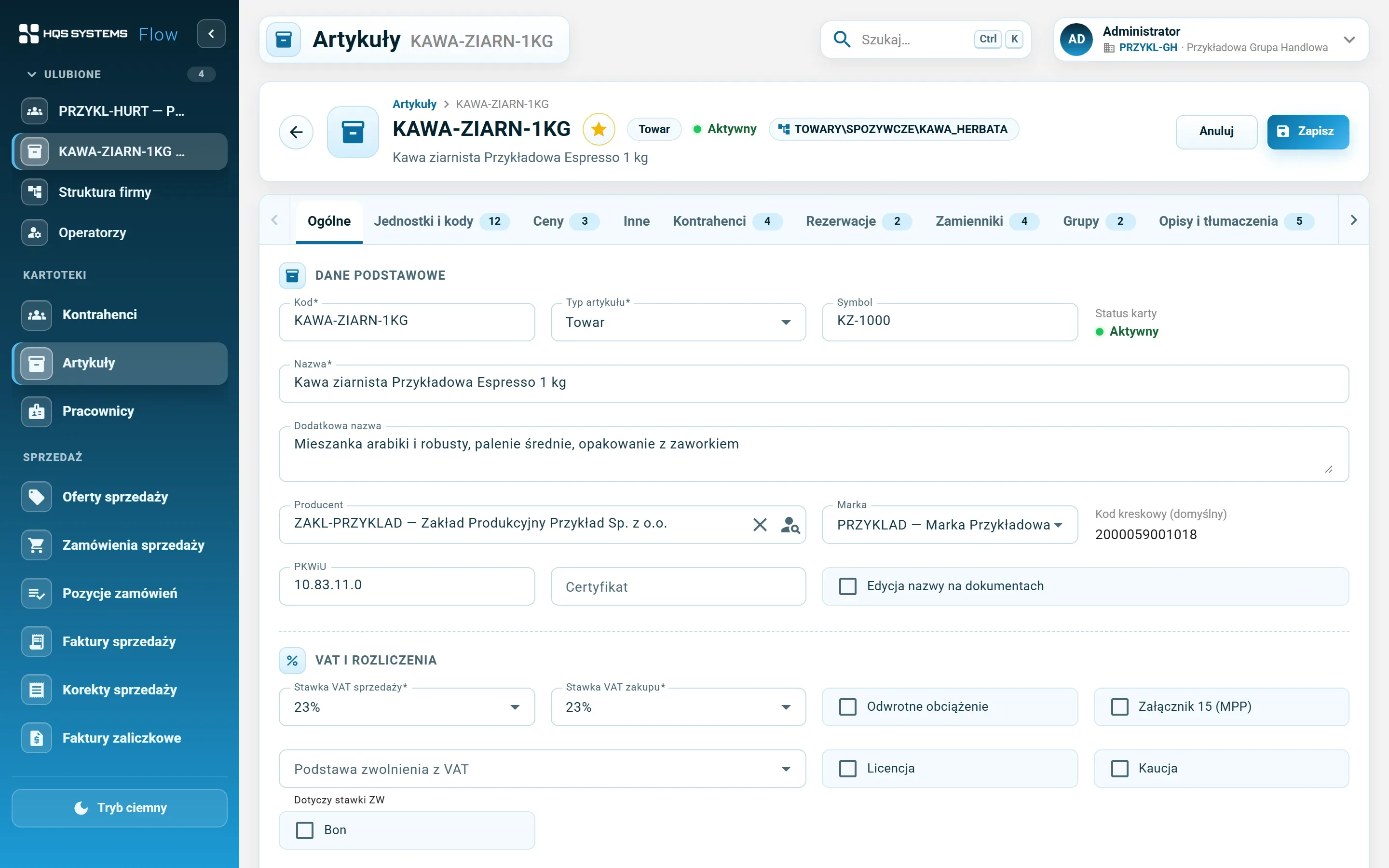
The General tab of an item record — code, type, symbol, name, manufacturer, brand, PKWiU, sales and purchase VAT rates, split payment
The General tab — manufacturer picked from customers, brand, VAT rates and tax flags.
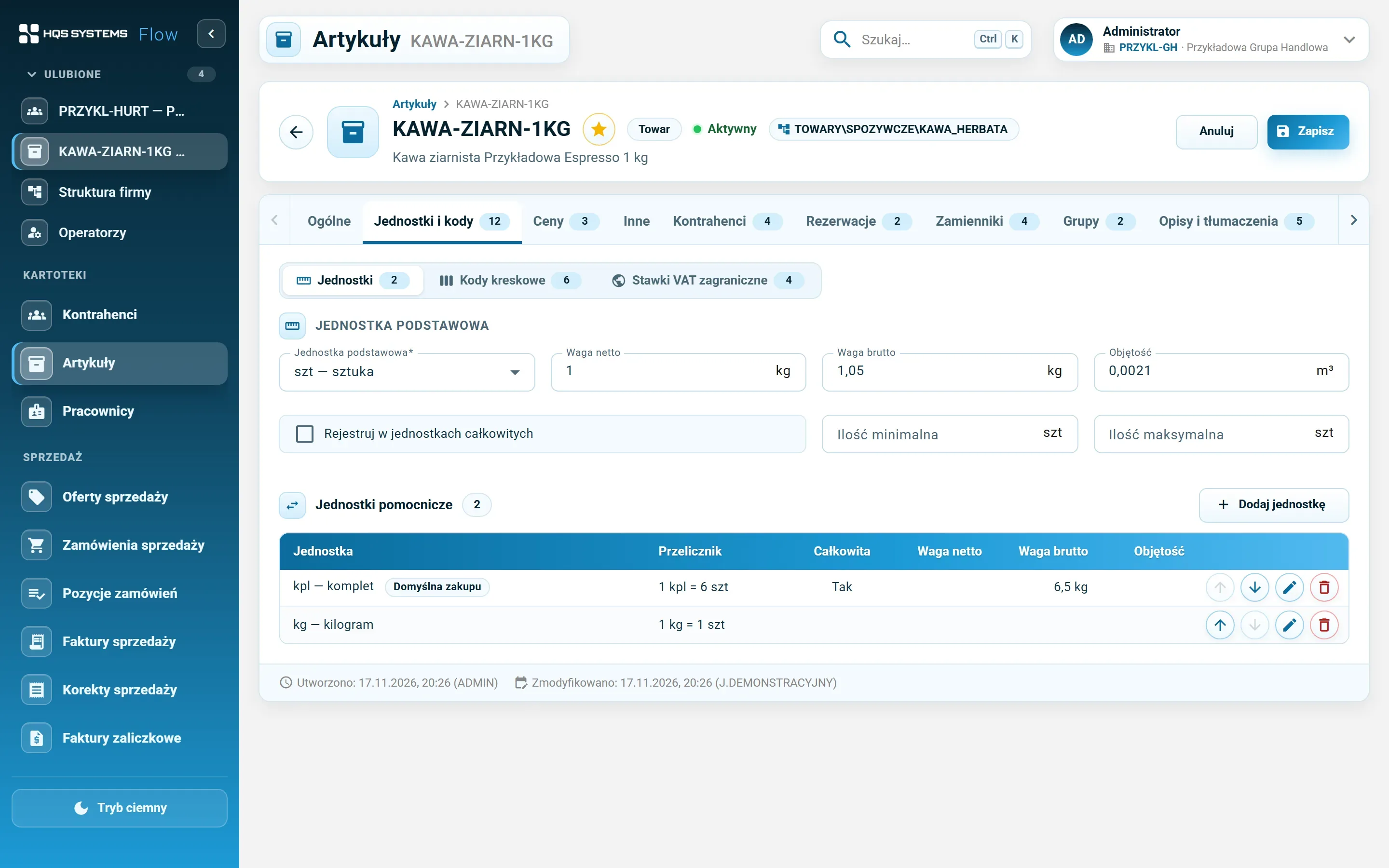
The Units tab — base unit, weights, volume and a table of auxiliary units with conversions
Auxiliary units with a conversion, e.g. 1 set = 6 pcs.
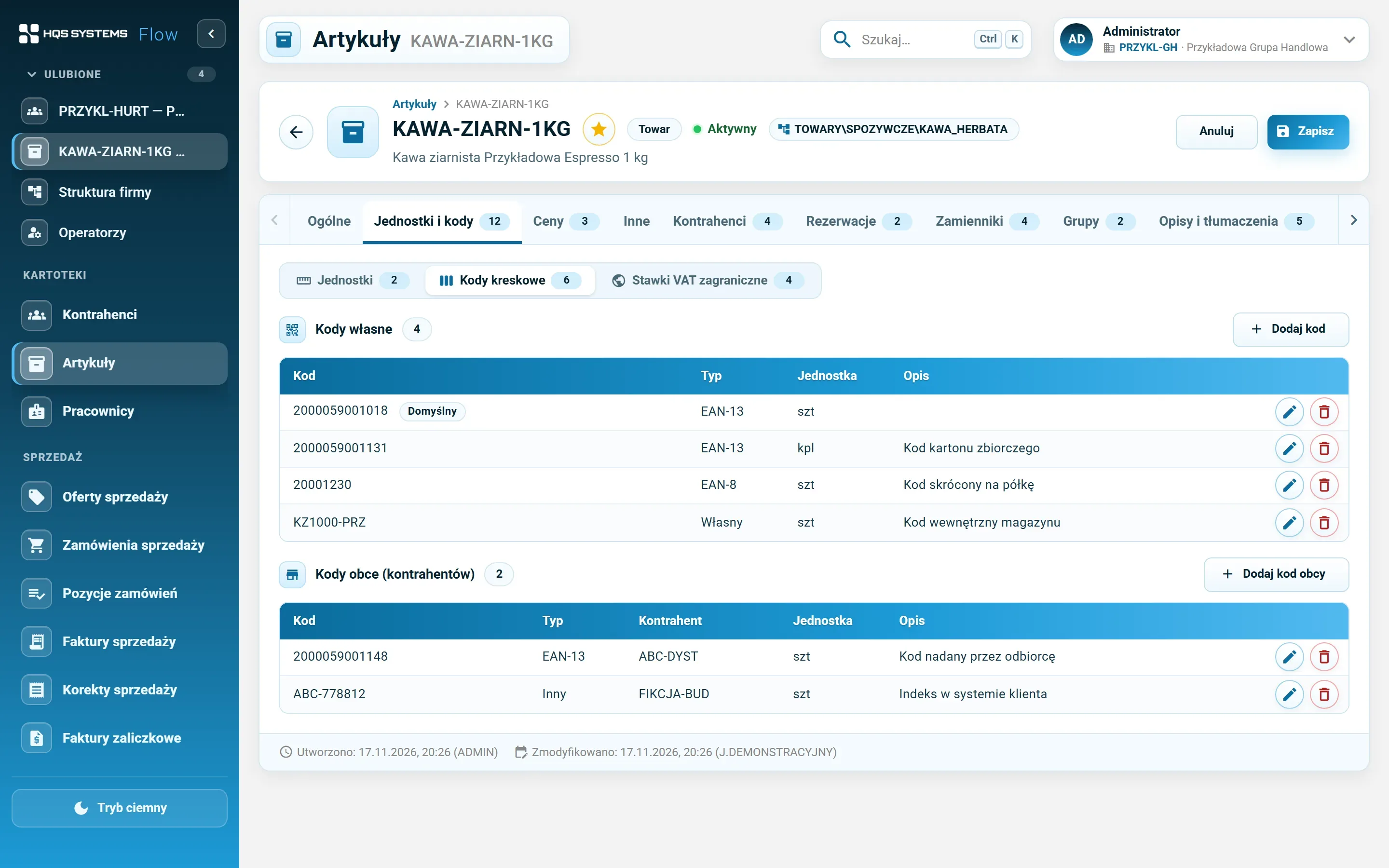
The Barcodes tab — own EAN-13, EAN-8 and internal codes and foreign codes assigned to customers
Own codes (with the default code and the carton code) and foreign codes assigned by buyers.
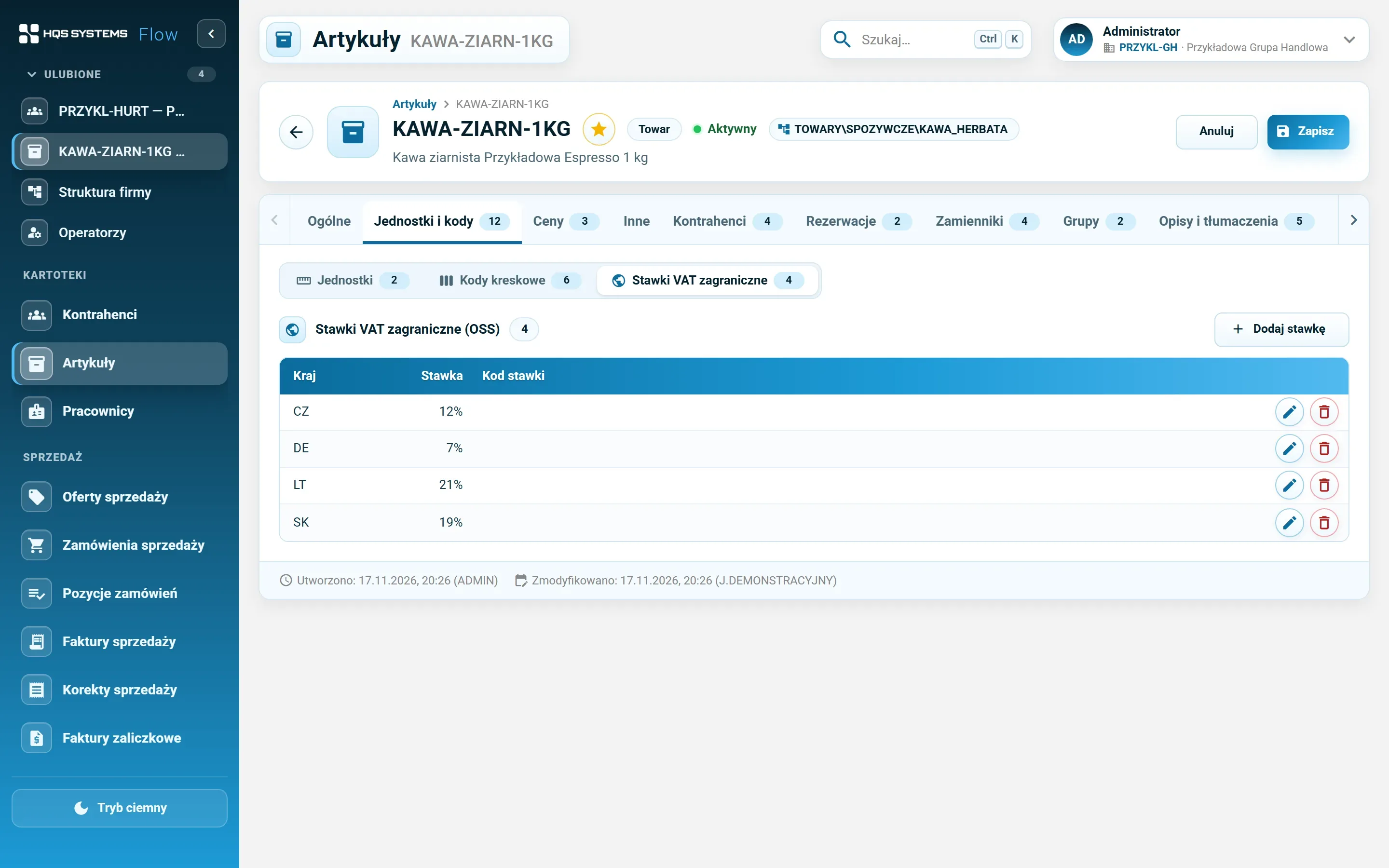
The foreign VAT rates tab — rates for Czechia, Germany and Slovakia
VAT rates for OSS sales in other EU countries.
The Customers tab — the item's suppliers and buyers with their code, price, currency and price date
Suppliers and buyers with their codes and prices, in their currencies.
The Substitutes tab — substitutes with quantity, ratio and document scope
Substitutes with a “how many for how many” ratio and document scope.
The Groups tab — the group tree with the item's groups ticked and a star next to the default group
Group membership — ticked in the tree, a star marks the default group.
The Descriptions and translations tab — item description and a table of name translations into five languages
Description and name translations.
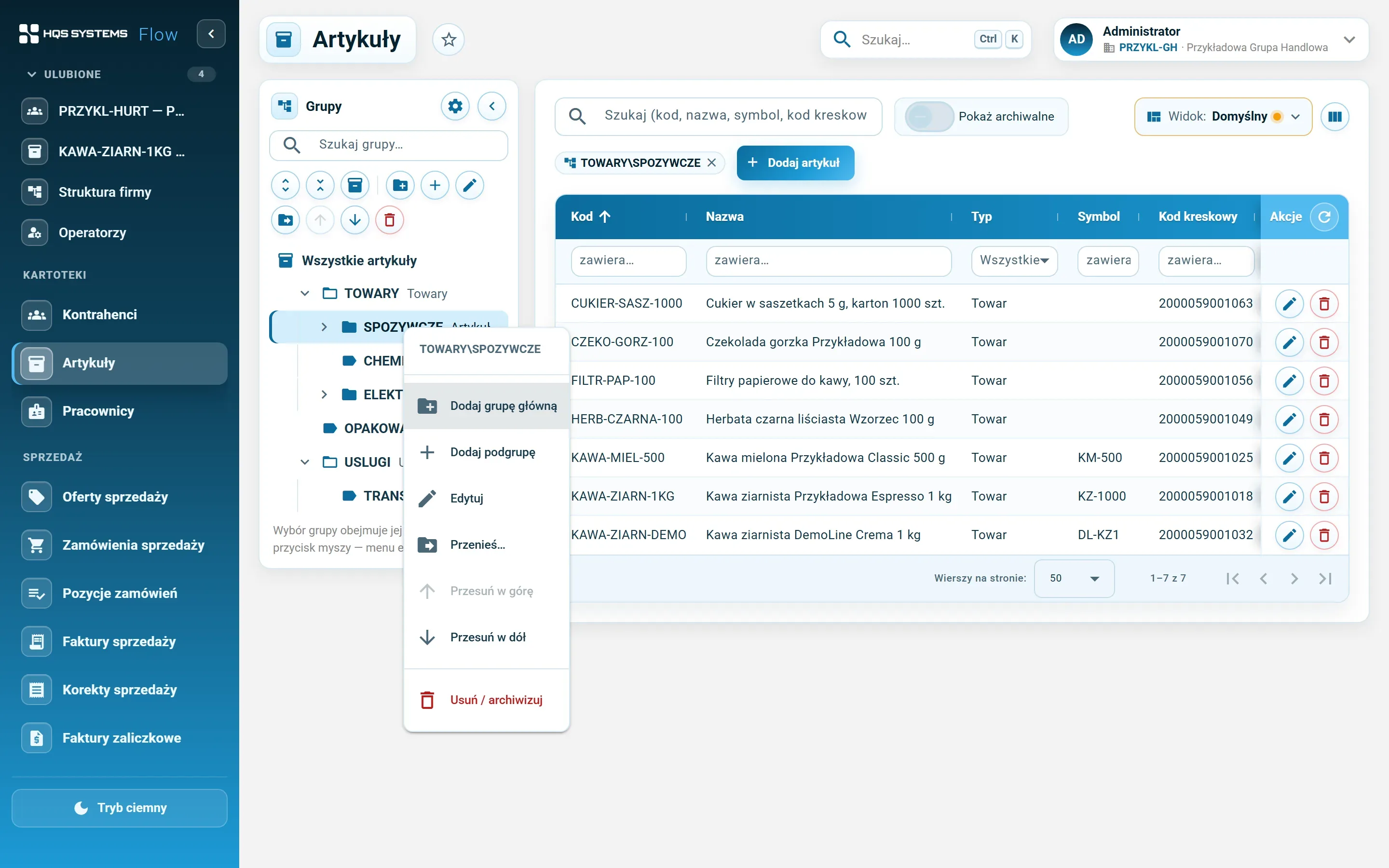
The context menu on the group tree on the item list — add main group, add subgroup, edit, move, delete or archive
Groups are changed without leaving the list — right click on the tree.

Click a screenshot to see it at full resolution. All data in the screenshots is fictional. The application interface is in Polish.

One product, many codes

In practice the same product has a manufacturer’s code, a code for the outer carton, a short shelf code and an index in every large buyer’s system. HQSFlow keeps all of them on one record:

  • own codes — EAN-13, EAN-8, UPC-A, internal and other; one of them is the default,
  • a code can belong to a unit — scanning the carton code points to the carton, not a single piece,
  • foreign codes — assigned to a customer and unique within that customer,
  • the EAN and UPC check digit is validated on save, and an own code cannot repeat anywhere in the database.

Search on the item list covers all these codes — type or scan any one of them.

Groups you can keep tidy

The item group tree is edited directly on the item list, as in Comarch ERP XL: adding a subgroup, moving a branch or archiving is a right click away. A group that still holds items or subgroups is not deleted — it is archived. An item can belong to several groups, and choosing a group on the list also shows items from its subgroups.

For trade across borders

CN code with country of origin, customs and excise rates, VAT rates for OSS sales in other EU countries, and names and descriptions in 16 languages (Polish, English, German, Czech, Slovak, Ukrainian, French, Italian, Spanish, Lithuanian, Latvian, Estonian, Hungarian, Romanian, Dutch, Swedish).

Let's talk about your company

Tell us how many companies, customers and items you have and what you use today. We will show HQSFlow on examples close to yours and tell you honestly what it already handles — and what it doesn't yet.

Book a demo

We answer every request personally, usually within one working day.

Please enter your name.
Please enter a valid e-mail address.
Please check the phone number or leave the field empty.
Please tell us briefly what the demo should cover.
How we handle your data

The controller of your data is HQS Systems. We use what you send here only to answer your request and to carry on the resulting conversation, and we keep it no longer than that requires. You can ask us at any time to show, correct or delete your data by writing to office@hqs.cloud.