The invoice you know from Comarch ERP XL
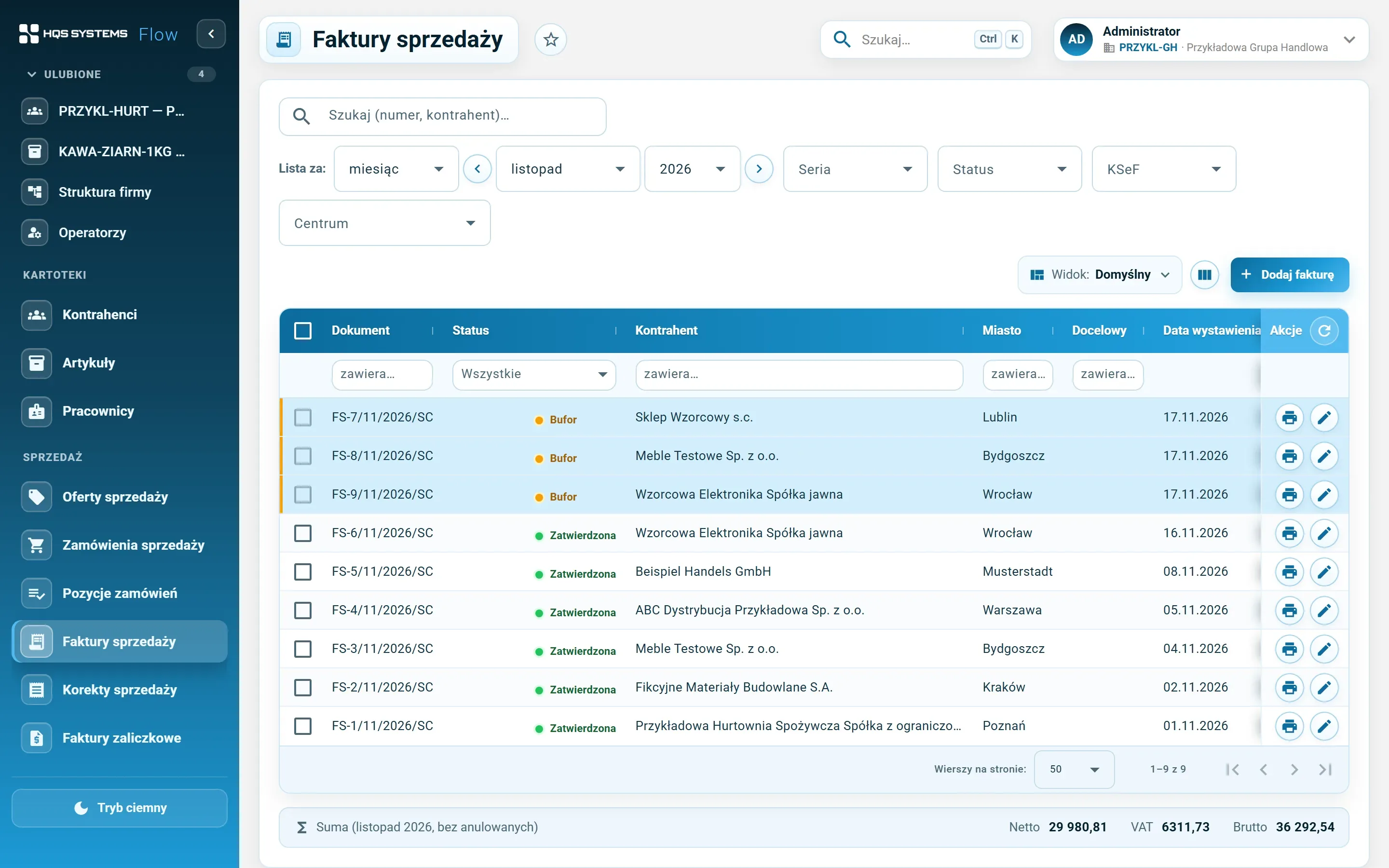
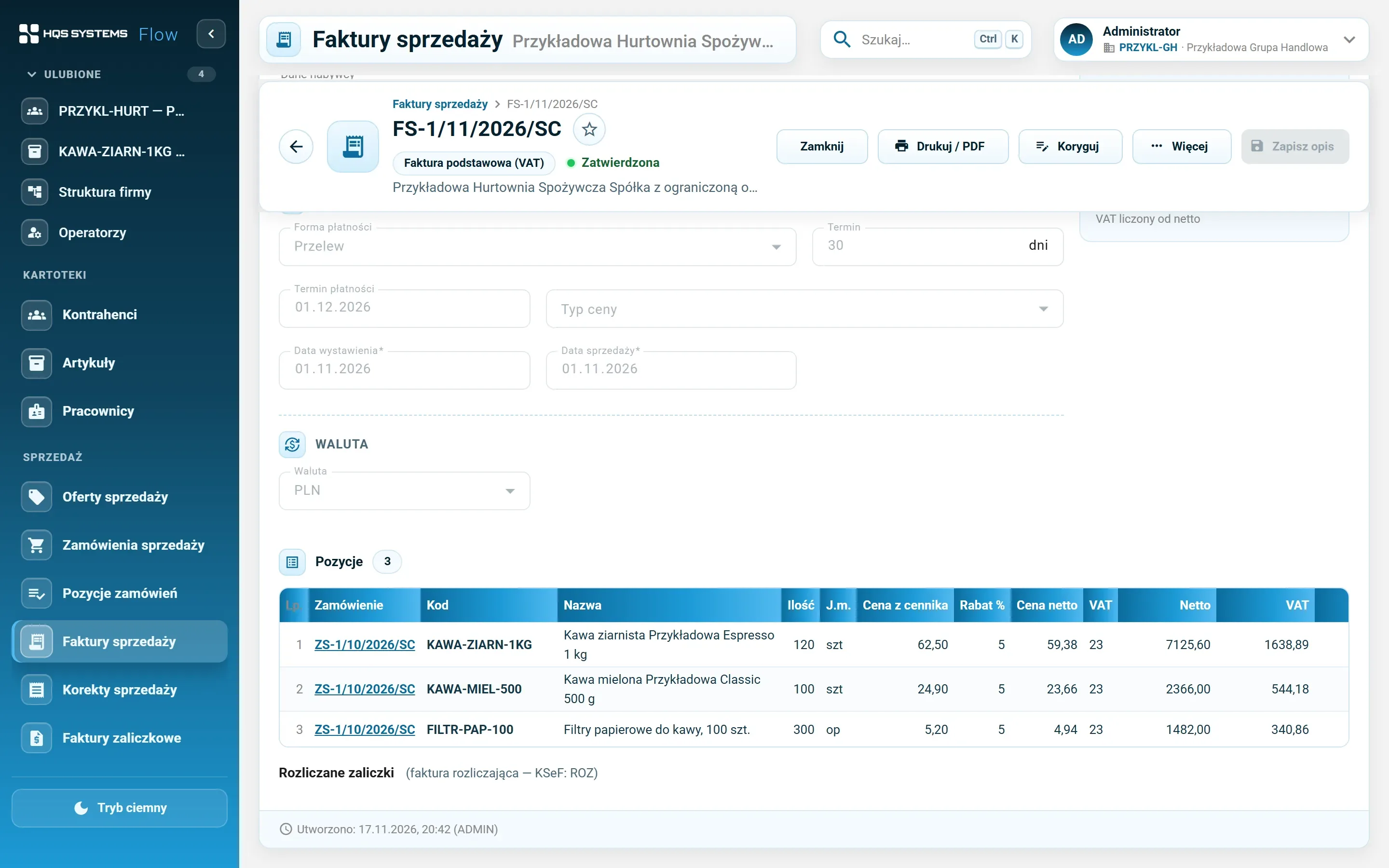
A record with General, Customer (buyer, recipient, payer), Payments, Header, VAT and KSeF tabs. Lines are edited in a grid like a spreadsheet, and prices, discounts and the VAT table — from net or from gross — are calculated by the server. Buffer, approval, cancellation, “Copy as new”.
Numbering set for each company
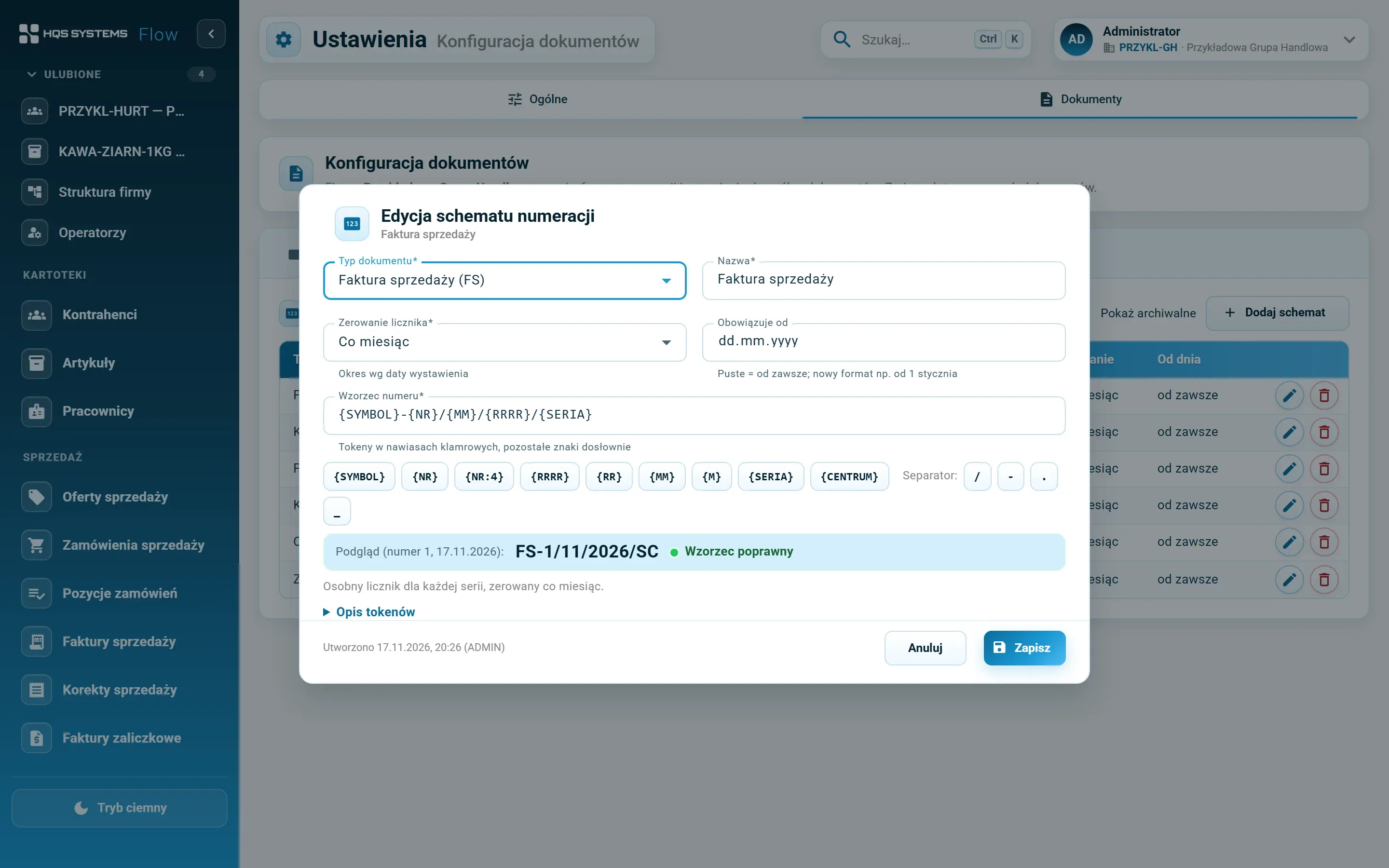
Document series, numbering schemes built from tokens ({SYMBOL}, {NR}, {MM}, {RRRR}, {SERIA}…) with a live preview, and document definitions for the company and its centres. The planned number shows right after “Add”; the final one is assigned on save — no gaps or duplicates, even when several people issue invoices at once.
Price lists with effective dates
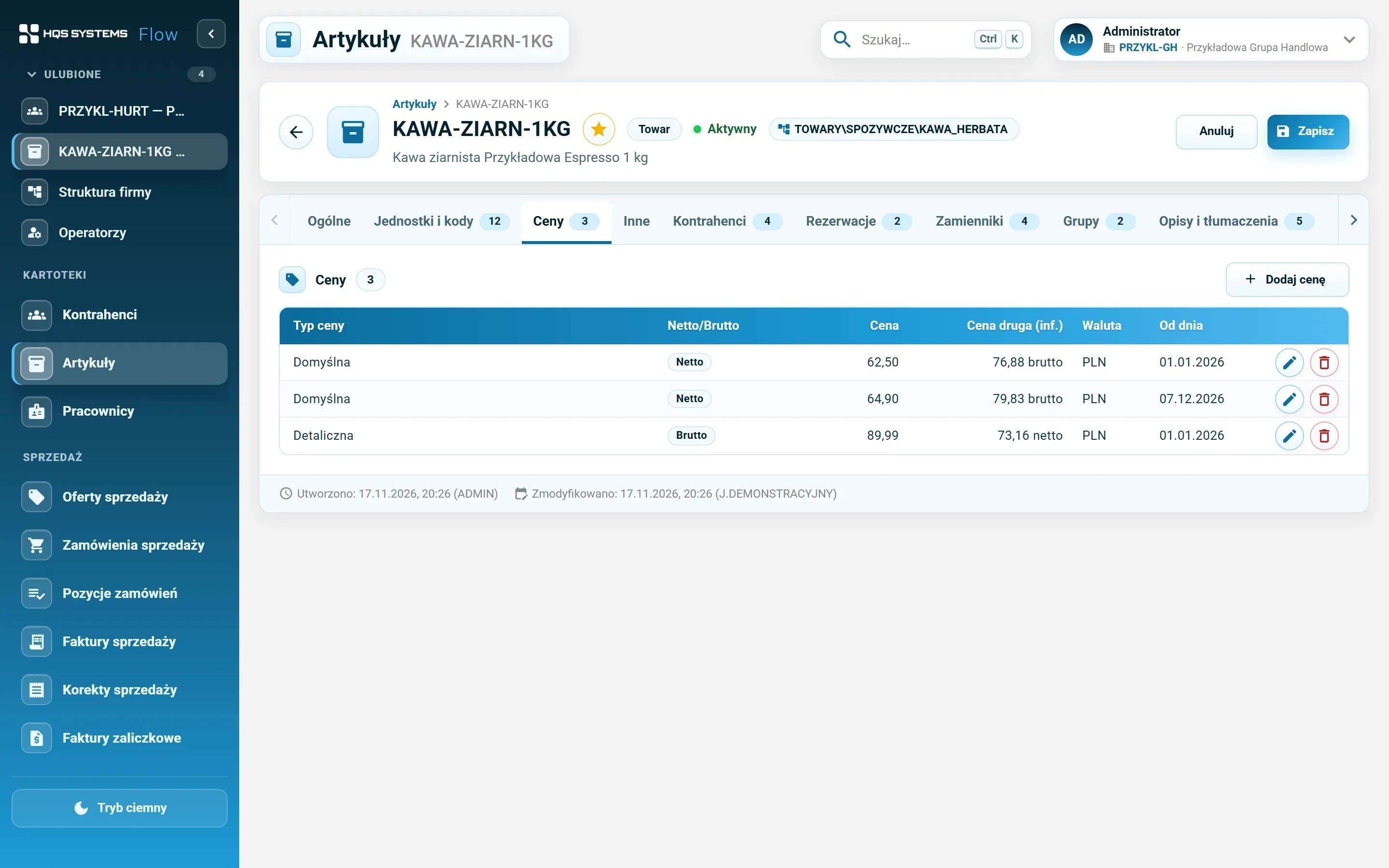
Net and gross price types, item prices valid from a given day (a price rise can be entered in advance) and a default price type on the customer record. Each line shows the list price, the discount and the price after discount.
Payments, instalments, company account
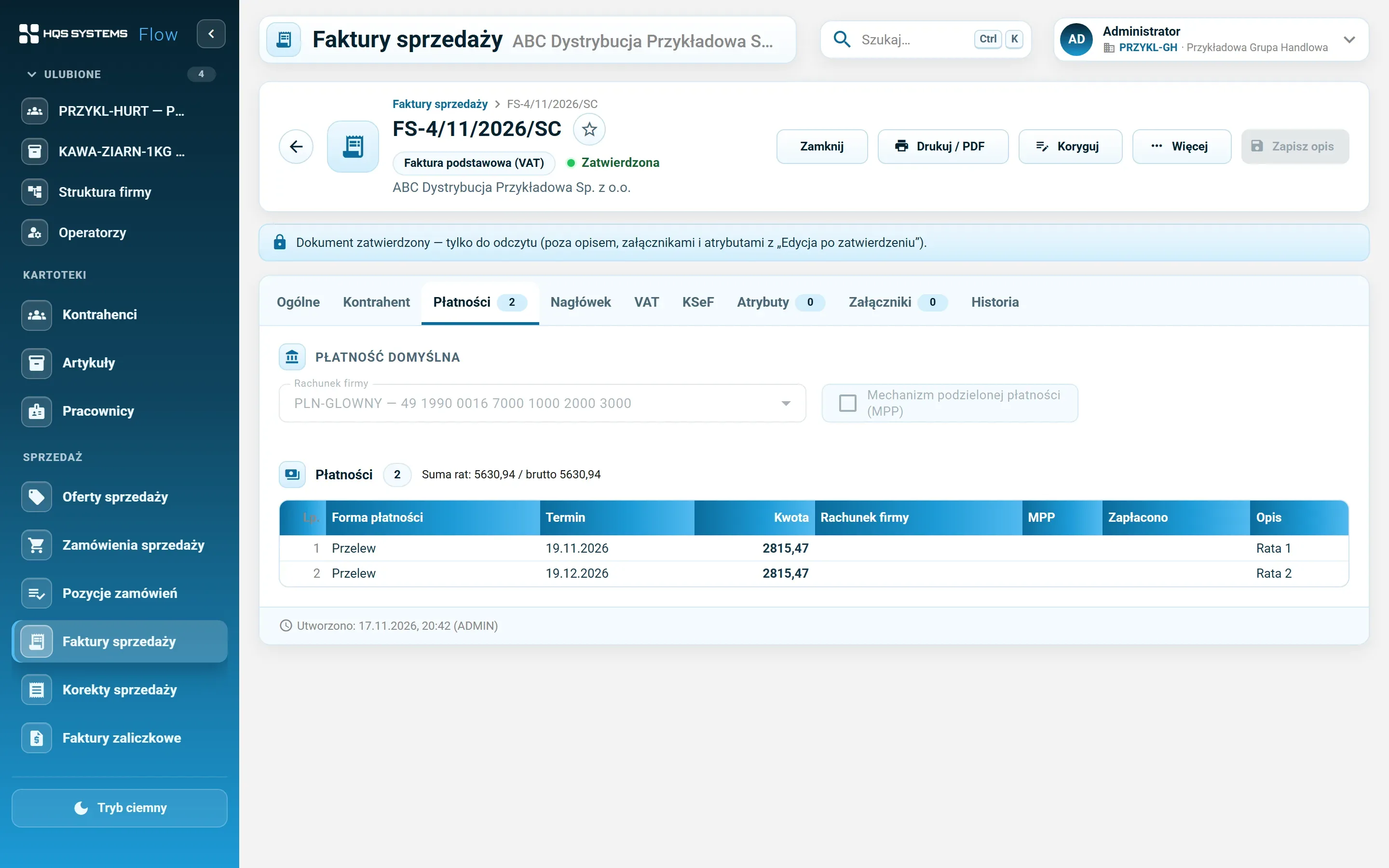
Payment method and term, the company bank account, split payment, paid in full or in part. A payment can be split into instalments — “Add instalment” suggests the amount still left.
KSeF 2.0 without a separate program
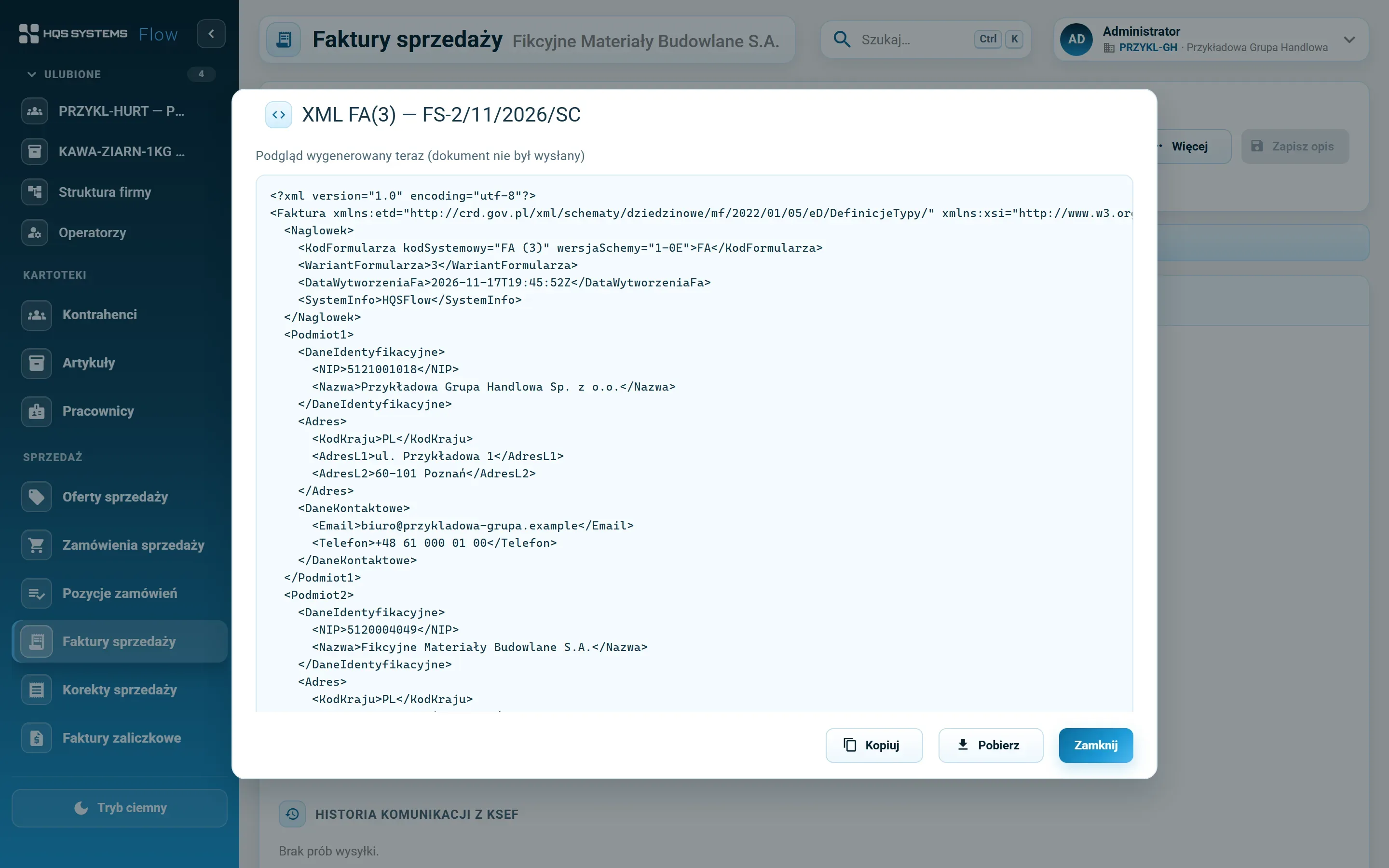
FA(3) sending on approval, from the document or in bulk from the list. A background queue retries, the KSeF number and the UPO receipt land on the document, and the XML preview shows exactly what will be sent. An invoice already sent can't be cancelled — only corrected.
Company or operator credentials
The company's KSeF token or certificate and — as in Comarch ERP XL — an operator's own credential for manual sending (My profile → KSeF). Secrets are stored encrypted, and every submission shows who requested it and whose credential was used.
Corrections with “before / after”
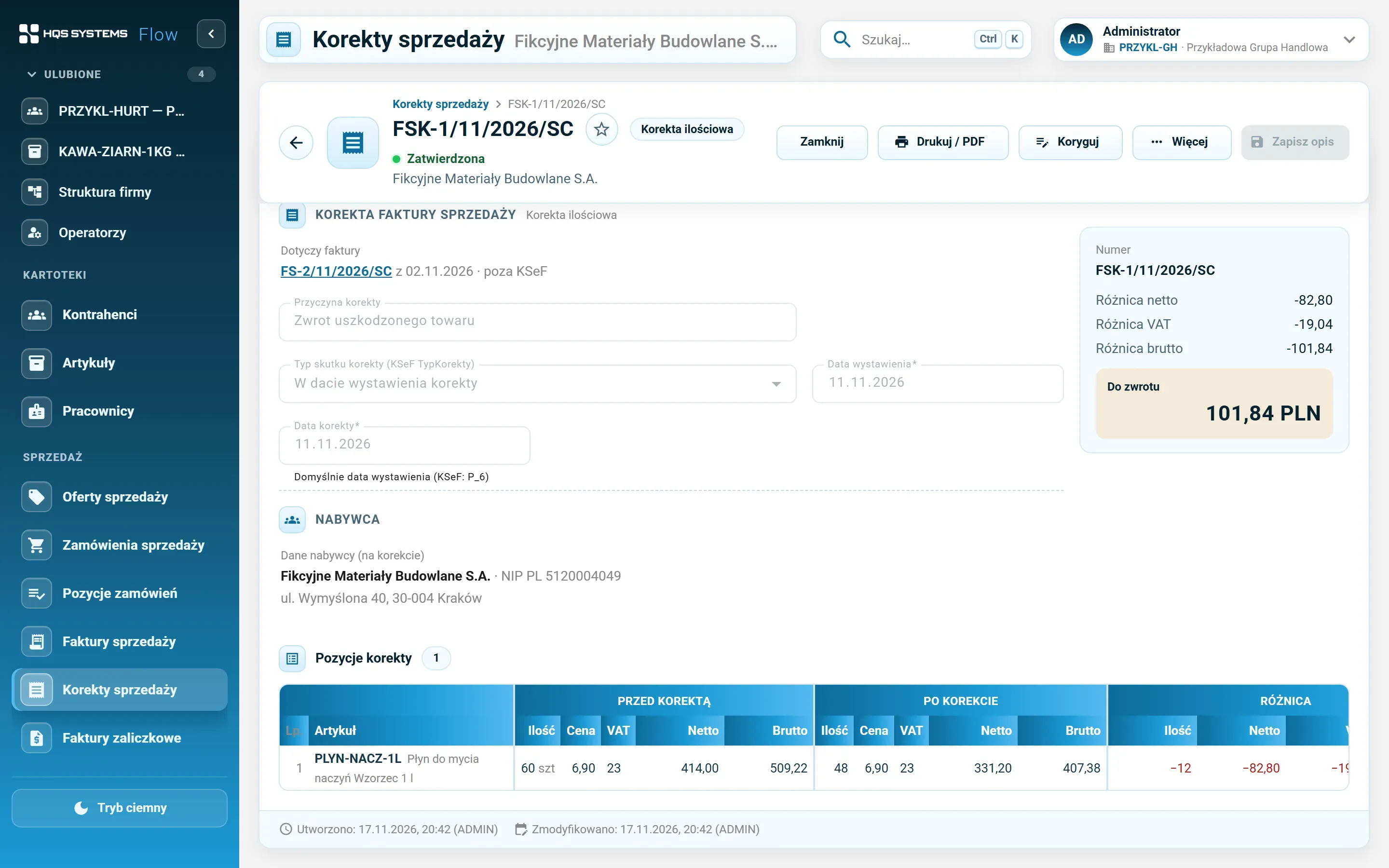
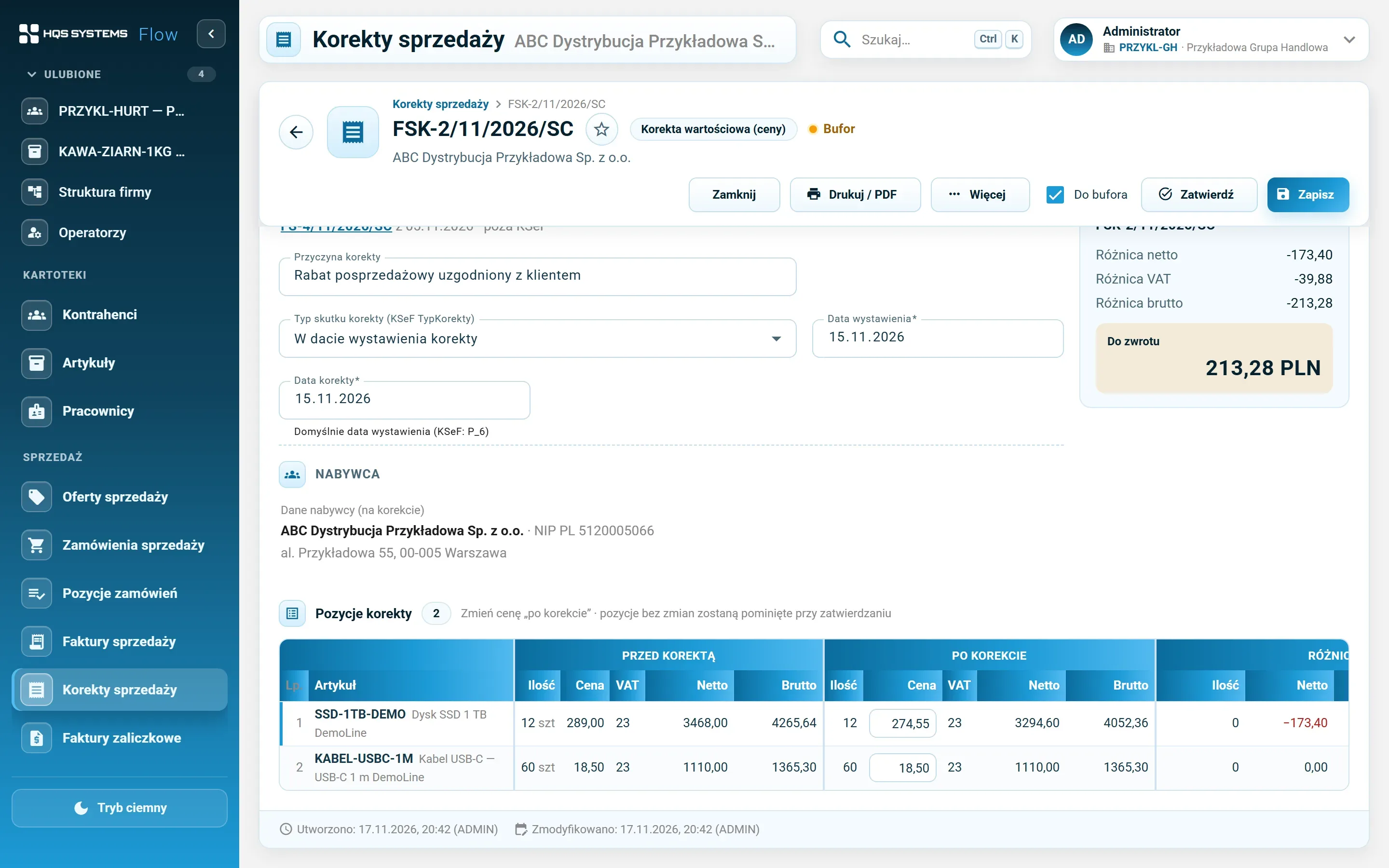
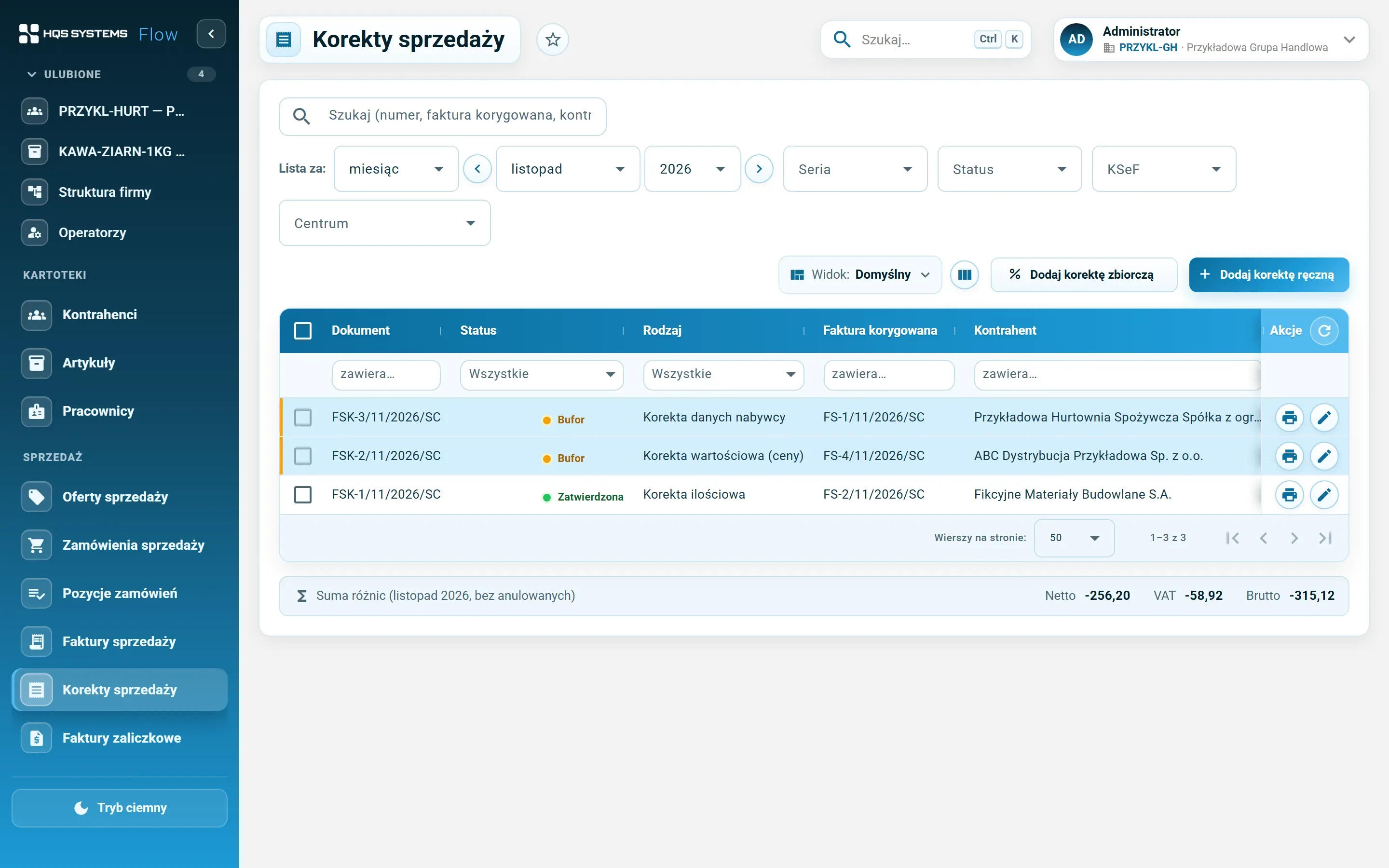
Quantity, value, VAT rate, buyer data, collective (a discount for a period) and manual corrections to an invoice issued outside the system. Every line has a before and after state; the difference is a refund or an extra payment. The next correction starts from the state after the previous one.
Currencies at NBP rates
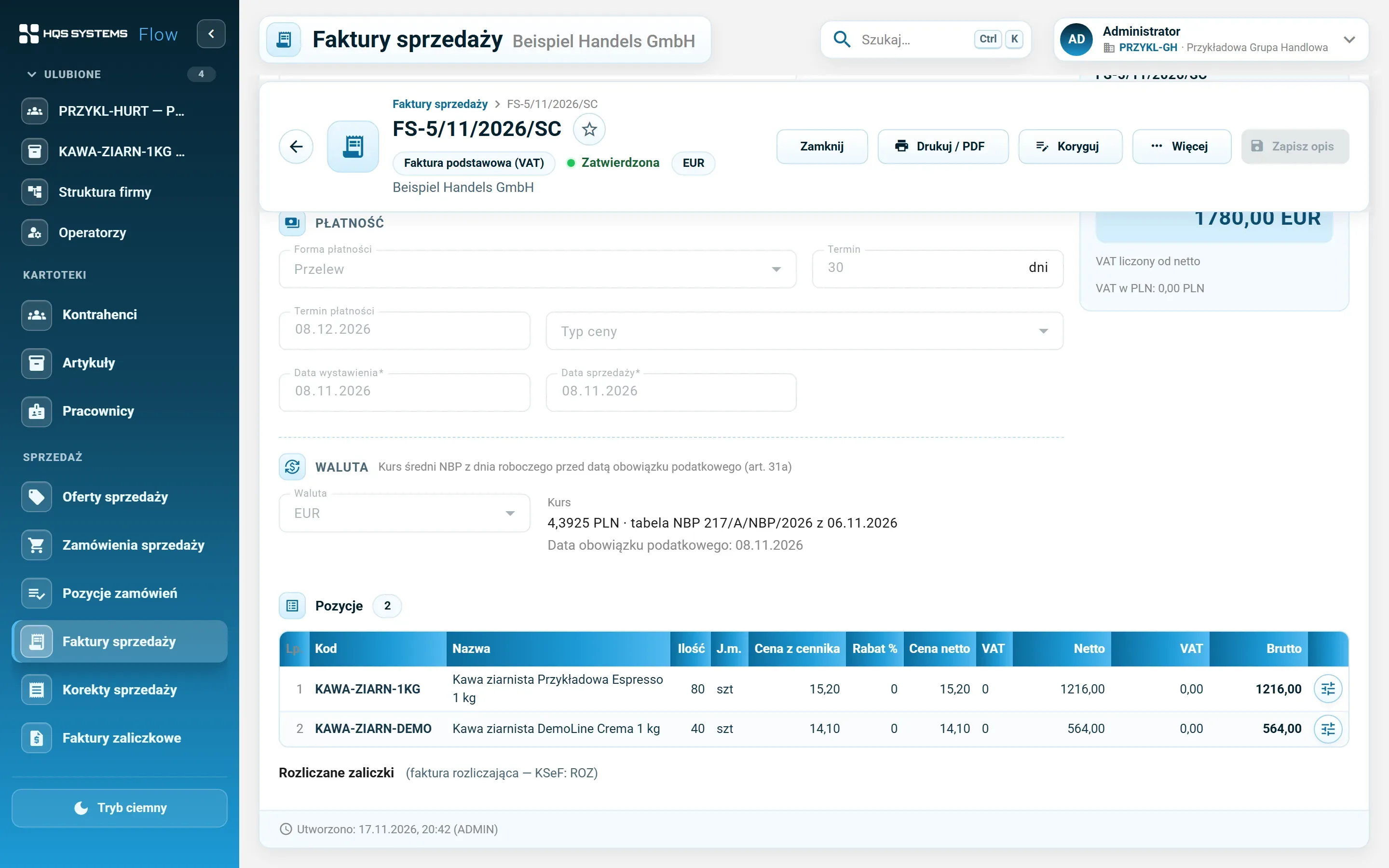
An invoice in euro or another currency at the NBP average rate (table A) from the business day before the tax point, fetched with one button. VAT in złoty, the VAT table in both currencies. A manual rate needs a permission.
Advance and final invoices
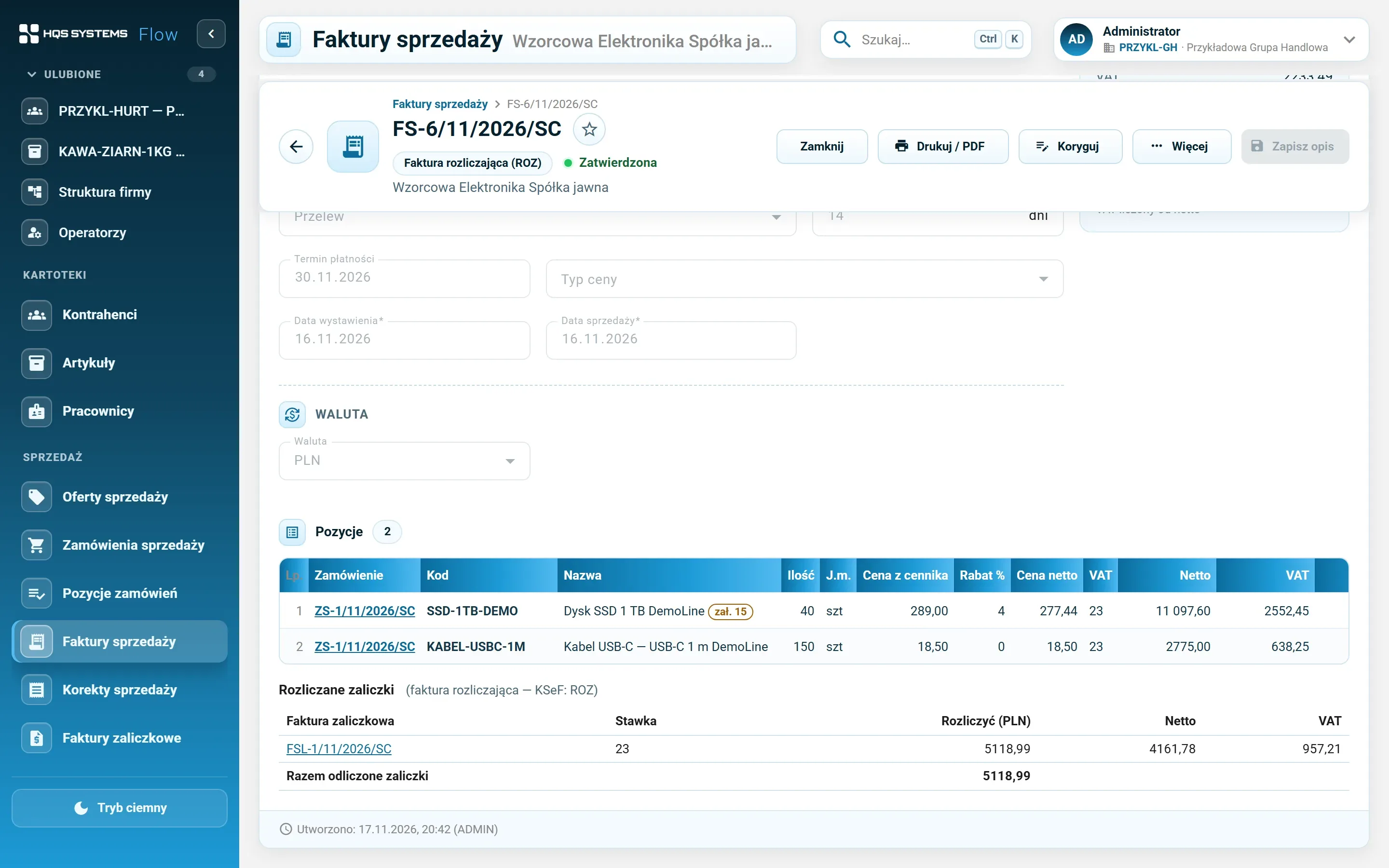
An advance invoice (FSL) for an order or contract, with the amount split across VAT rates in proportion to the order, plus its correction. The final invoice suggests the buyer's advances to settle and shows the amount “to pay after advances”.
PDF printout with a KSeF QR code
Original and copy, a QR code with the KSeF verification link, a “BUFOR” (draft) watermark on unapproved documents. A correction prints as a corrective invoice with the before, after and difference.
GUS and the VAT white list
Customer and company data fetched from GUS (the Polish business register) by NIP, REGON or KRS — with a comparison of what will change. VAT status and bank accounts checked against the VAT white list, with the result and request ID kept.
Details accounting will recognise
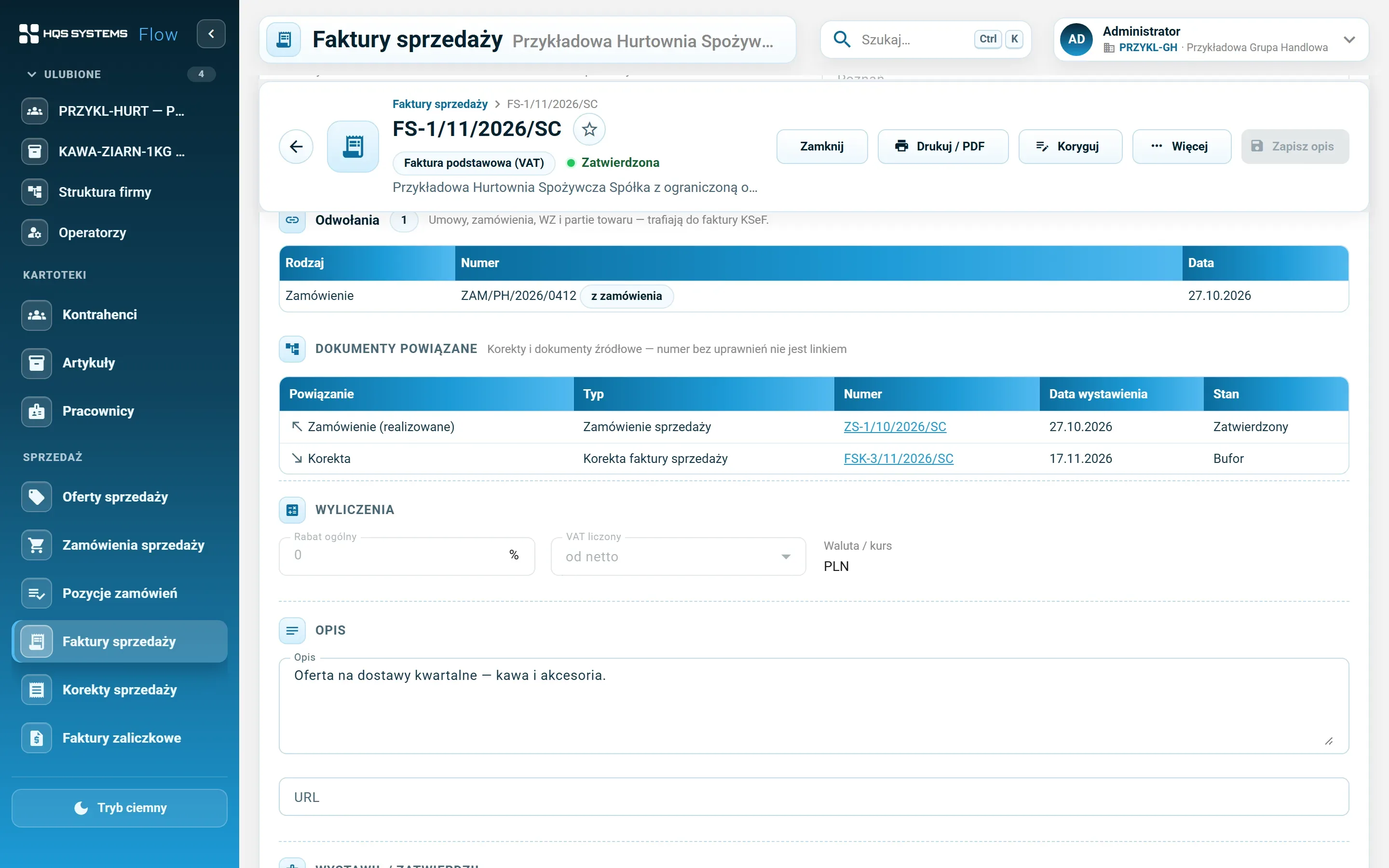
The cash accounting method on the document (by default from company settings), local government units and VAT groups, factoring, VAT exemption grounds, procedures on lines, references to contracts, orders and delivery notes. Every invoice lists its related documents — orders, corrections, advance invoices.