
Check digits wherever they exist
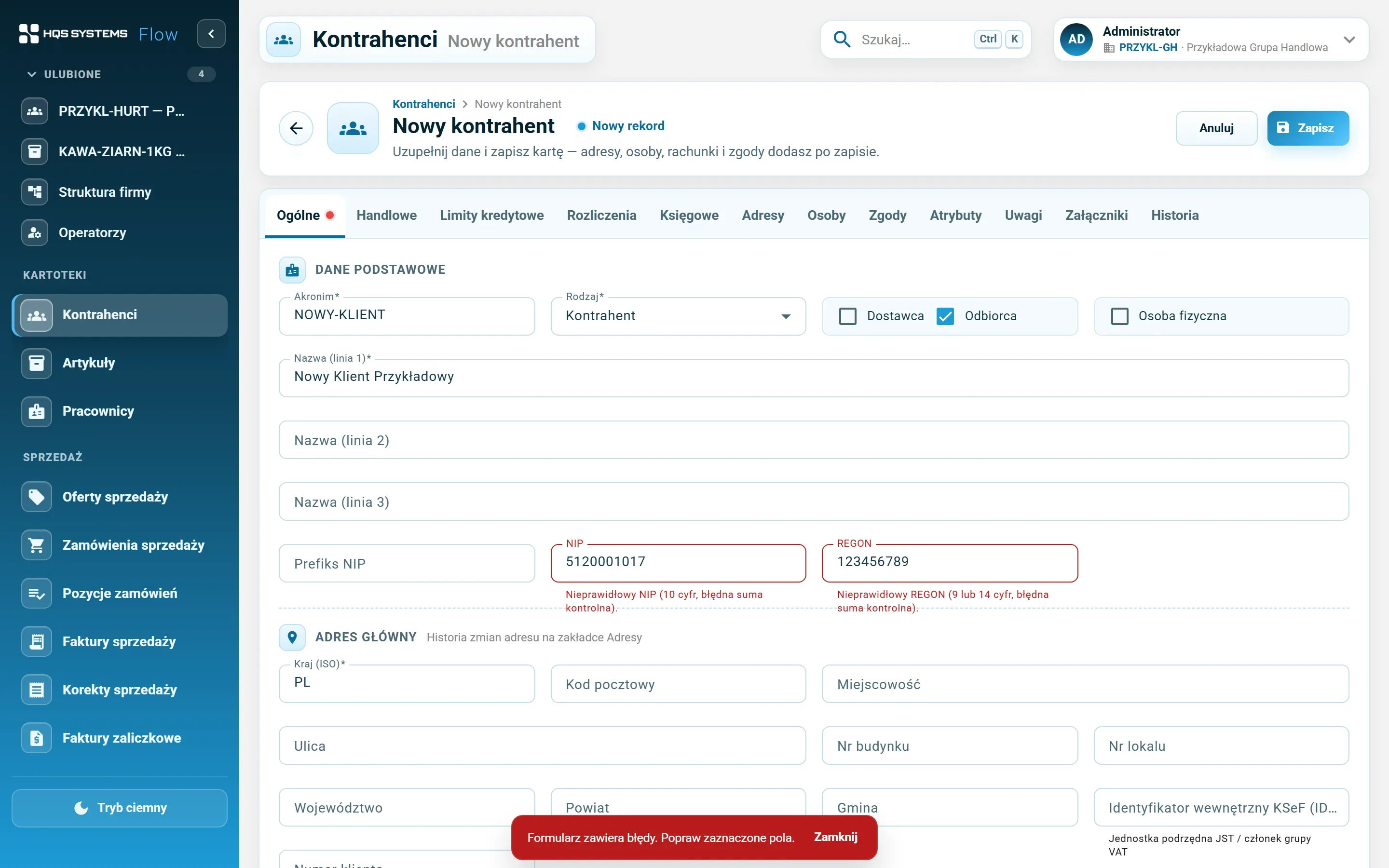
NIP, REGON, PESEL, NRB/IBAN account numbers, EAN-13, EAN-8 and UPC-A codes. A wrong digit is caught on save, with a message next to the field concerned.
A report is only as good as the data behind it. HQSFlow checks data in the browser and again on the server, enforces uniqueness, won't let records in use be deleted and protects against overwritten changes. Only signed-in operators get to the data, and the server checks every operation against their permissions — and records who changed what.
NIP, REGON, PESEL, NRB/IBAN account numbers, EAN-13, EAN-8 and UPC-A codes. A wrong digit is caught on save, with a message next to the field concerned.
VAT deregistration no earlier than registration, a maximum payment term no shorter than the regular one, gross weight no less than net, non-overlapping limit periods, a country that matches the customer type.
Customer and item codes are unique. Tax IDs are checked against archived records too, with a block or a warning — depending on the setting. An own barcode cannot repeat anywhere in the database.
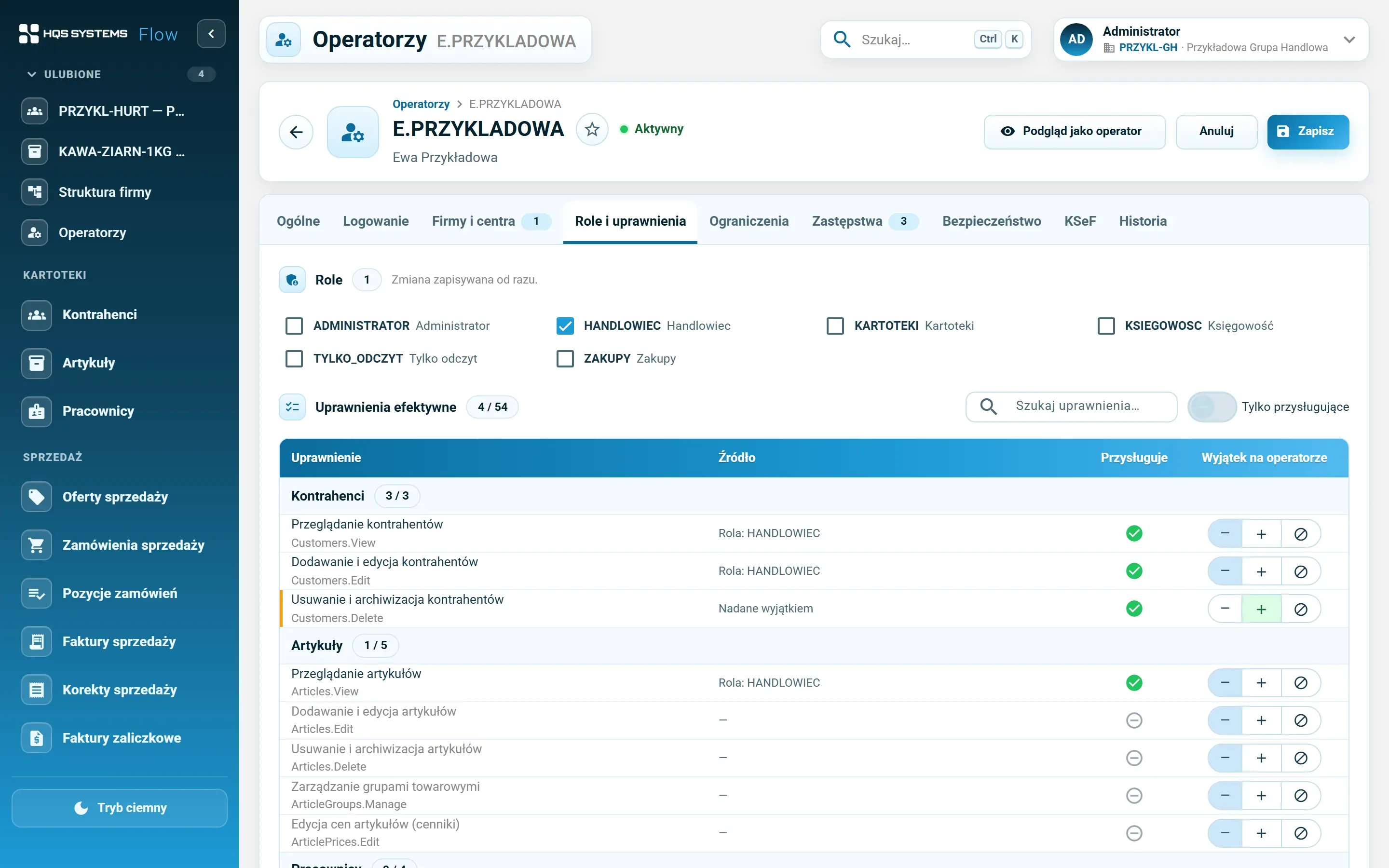
A hidden button is a convenience, not security. Every operation — reading a list, saving a record, deleting an attachment — is checked on the server against the operator's permissions and company access, wherever the request came from.
A password policy, a forced password change at first sign-in, lockout after failed attempts. Blocking an account takes effect at once, open sessions included, and the administrator sees active sessions and can end them.
An employee's PESEL number and bank account are visible only to those with a separate permission — in the change history too, where these values are masked.
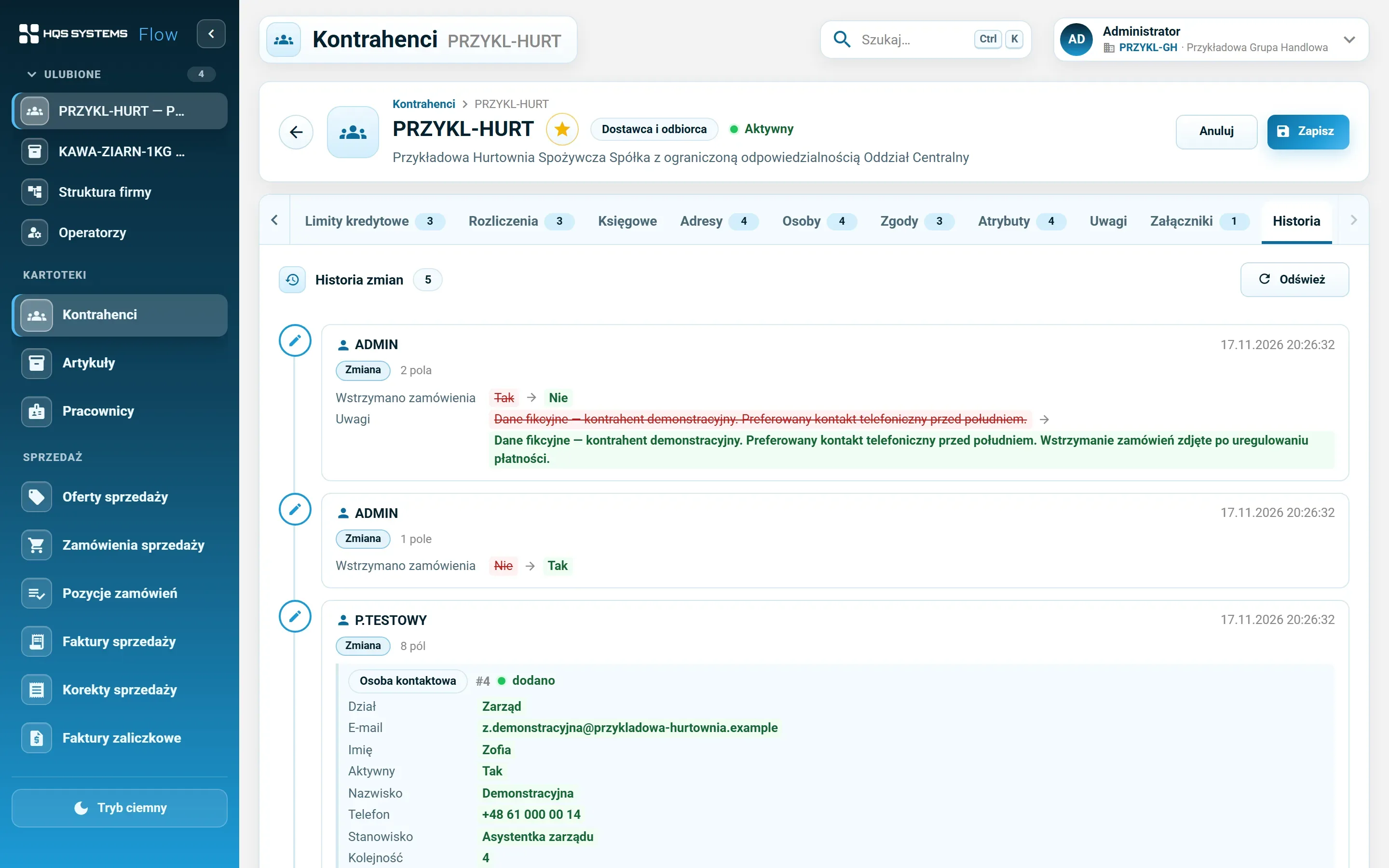
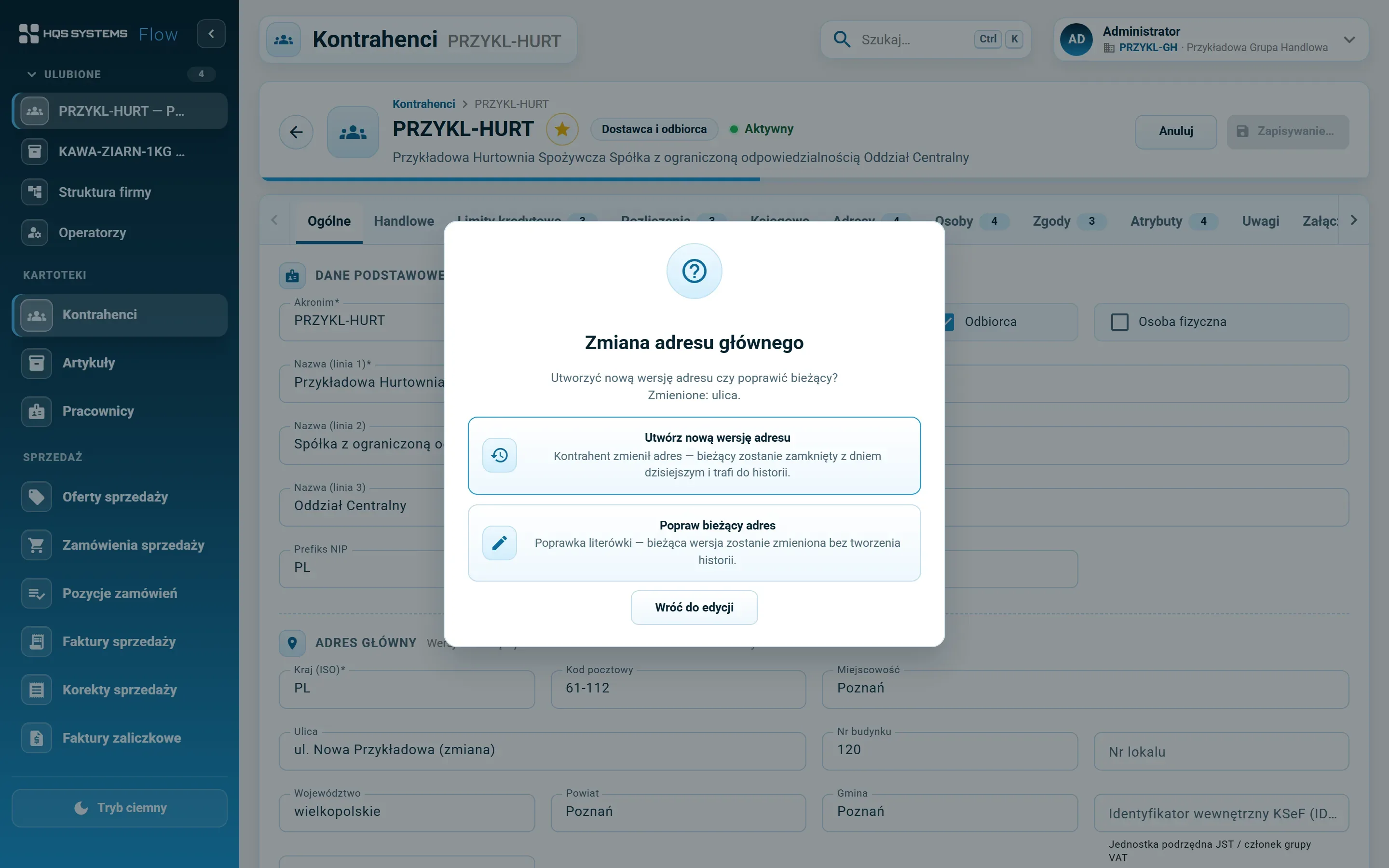
Record change history with operator, date and values before and after — switched on for selected record types, with a retention period. The sign-in log records successful and failed attempts. On top of that, customer addresses are versioned with validity dates and consents carry grant and withdrawal dates.
If someone saved the same record a moment earlier, HQSFlow won't overwrite their changes — it shows a message and asks you to refresh.
A record in use goes to the archive instead of disappearing. Archived records are hidden from lists, but one switch away and restorable.

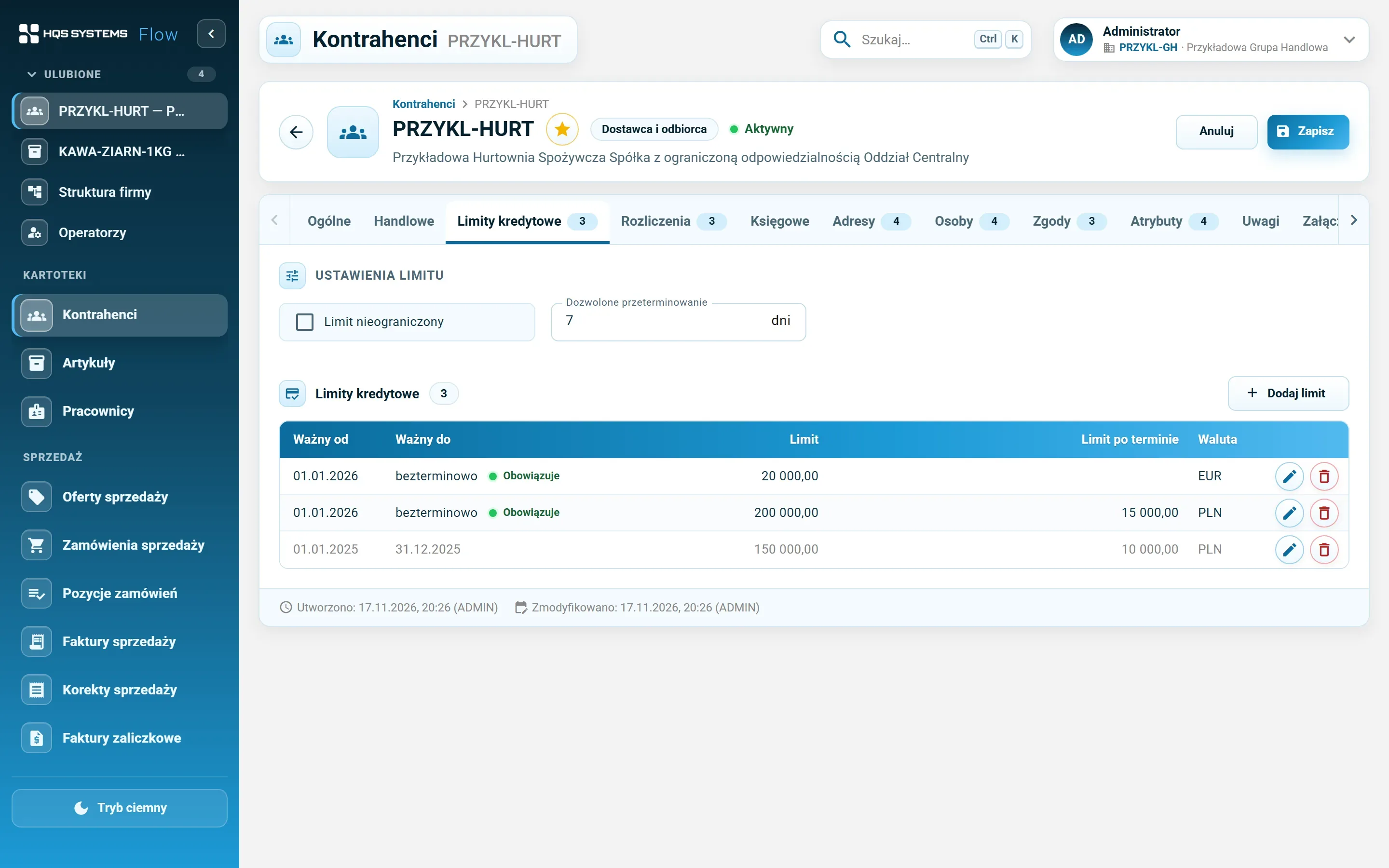
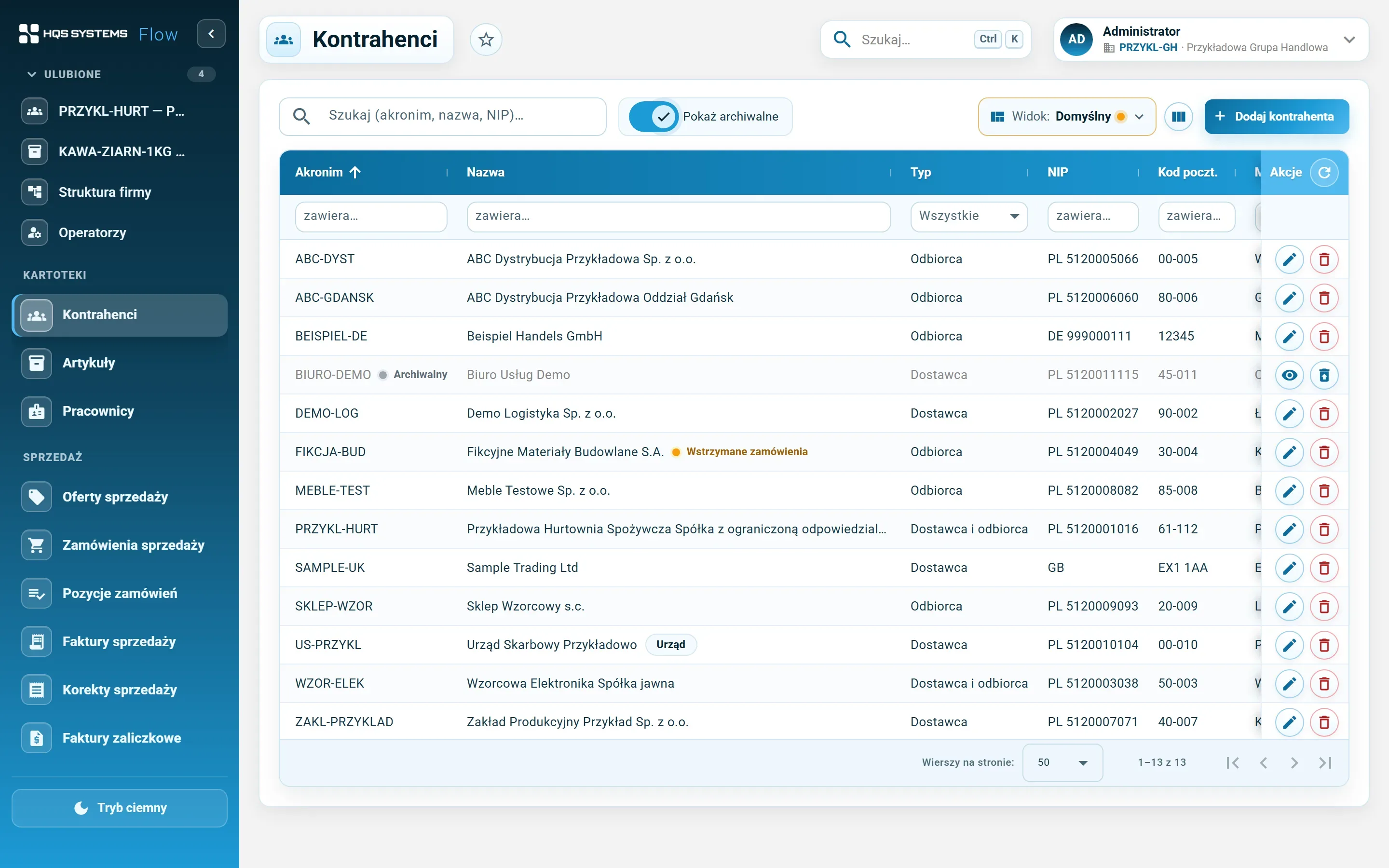

Click a screenshot to see it at full resolution. All data in the screenshots is fictional. The application interface is in Polish.
Every rule is checked in the browser — so users see straight away what to fix — and again on the server, before anything reaches the database. That way data correctness can’t be bypassed, even when data arrives by some route other than the application screen.
Operators sign in to HQSFlow with a password or a Windows domain account. Every request to the server is checked: is the operator signed in, do they have access to the given company, and do they have the permission for this particular operation. Permissions come from roles and exceptions set on the operator; a change takes effect without signing in again. View as operator mode, which the administrator uses to check what a person sees, is locked to read-only on the server side. More: Companies, operators and permissions.
Files attached to records are stored in the database, so a database backup covers them as well. The
administrator sets the maximum file size and blocks dangerous extensions (e.g. .exe, .bat, .js).
Tell us how many companies, customers and items you have and what you use today. We will show HQSFlow on examples close to yours and tell you honestly what it already handles — and what it doesn't yet.
We answer every request personally, usually within one working day.